

Workplace automation is changing how employees complete tasks, communicate with customers, analyze information, and manage daily responsibilities. Software, artificial intelligence, robotics, cloud platforms, and automated workflows are becoming part of many industries. For workers, this shift creates a need to learn new tools while strengthening the abilities that technology cannot easily replace. Developing the right automation workplace skills can help employees remain productive, flexible, and prepared for changing job requirements.
Automation does not always mean that a complete job disappears. More often, individual tasks within a job are changed, simplified, combined, or performed with technological assistance. An employee may spend less time entering information and more time reviewing results, solving unusual problems, communicating with customers, or making decisions. This means workers need a balanced combination of technical knowledge and human abilities.
This guide explains the most useful automation workplace skills for employees, students, and professionals. It covers digital literacy, artificial intelligence, data analysis, critical thinking, communication, creativity, cybersecurity awareness, adaptability, problem-solving, and continuous learning. It also explains how to develop these abilities and demonstrate them in the workplace.
What Are Automation Workplace Skills?
Automation workplace skills are practical abilities that help people work effectively in environments where software, artificial intelligence, machines, and automated systems perform some workplace tasks.
These skills can be divided into two broad groups. Technical skills help employees use digital tools, understand data, operate software, and work with automated systems. Human skills help workers make decisions, communicate clearly, solve unfamiliar problems, collaborate with others, and respond to situations that require judgment.
Important examples include:
- Digital literacy
- AI literacy
- Data analysis
- Critical thinking
- Problem-solving
- Adaptability
- Communication
- Creativity
- Collaboration
- Cybersecurity awareness
- Process improvement
- Continuous learning
The purpose of developing automation workplace skills is not to become an expert in every new technology. Instead, employees should understand how technology affects their work and learn how to use relevant tools safely, efficiently, and responsibly.
Why Automation Skills Matter in Modern Workplaces
Automation can change job responsibilities even when a person’s job title stays the same. An administrative employee may use automated document workflows. A sales professional may rely on a customer relationship management system. An accountant may work with automated reporting. A marketing employee may use AI to organize research or generate initial ideas.
In each situation, technology can handle certain repetitive activities, but people still need to review information, understand context, communicate with others, and make decisions. This is why automation workplace skills should include both technology-related knowledge and strong human abilities.
Workers who understand this relationship can become better users of technology. Rather than simply learning where to click, they can understand why a tool is being used, what problem it solves, what risks it creates, and when human review is required.
1. Digital Literacy
Digital literacy is one of the most important foundations of automation workplace skills. It means being comfortable using computers, workplace software, online platforms, cloud services, digital documents, and communication applications.
You do not need advanced programming knowledge to become digitally literate. However, you should be able to perform common digital tasks efficiently and troubleshoot simple problems without depending on someone else for every small issue.
Digital Skills to Develop
- Managing files and folders
- Using word-processing software
- Creating and editing spreadsheets
- Using email and calendars
- Working with cloud storage
- Joining online meetings
- Using collaboration platforms
- Sharing documents correctly
- Managing basic software settings
- Understanding common digital workflows
For example, an employee who can organize shared files, use spreadsheet formulas, manage document permissions, and collaborate through cloud software may adapt more easily when an organization introduces a new digital process.
2. AI Literacy
Artificial intelligence is becoming part of many workplace processes, making AI literacy an increasingly valuable part of automation workplace skills. AI literacy means understanding what AI tools can do, where they can make mistakes, and how their output should be reviewed.
Bilkul, 2-word external link ke liye “AI literacy” par official IBM source ka link laga sakte hain:
For many employees, AI literacy does not require learning how to build machine-learning models. It may simply involve learning how to write clear prompts, summarize information, generate ideas, organize content, compare results, and check AI-generated answers. AI literacy
Useful AI Abilities
- Writing clear and specific prompts
- Checking AI-generated information
- Summarizing long documents
- Brainstorming ideas
- Organizing information
- Creating first drafts
- Finding possible errors
- Protecting confidential information
A responsible AI user understands that an automated answer is not automatically correct. AI systems can produce inaccurate, incomplete, outdated, or misleading information. Human review is especially important when decisions involve customers, money, legal requirements, safety, or sensitive information.

3. Data Analysis Skills
Automated systems can produce large amounts of information very quickly. Employees who can understand and interpret that information can contribute more effectively to workplace decisions. Data analysis is therefore another valuable part of automation workplace skills.
Data analysis does not always require advanced mathematics. Many workers can begin with spreadsheet skills and gradually develop knowledge of tools such as Microsoft Excel, Google Sheets, Power BI, SQL, or industry-specific reporting platforms.
Basic Data Skills to Practice
- Sorting and filtering information
- Using spreadsheet formulas
- Creating charts
- Comparing figures
- Identifying trends
- Finding unusual results
- Calculating percentages and averages
- Creating simple reports
- Explaining findings clearly
For example, a sales employee may receive an automated report showing product performance. The system can present the numbers, but the employee still needs to understand what those numbers mean and determine whether a change in sales requires further action.
4. Critical Thinking
Critical thinking becomes more important when automated systems provide recommendations, summaries, predictions, or generated content. Employees should not automatically accept every output. They need to evaluate whether the result is reasonable and supported by reliable information.
Strong critical thinking is one of the most transferable automation workplace skills because it helps workers evaluate technology rather than simply follow it.
Questions Critical Thinkers Ask
- Where did this information come from?
- Is the information complete?
- Could an error have occurred?
- What assumptions are being made?
- Does the conclusion match the evidence?
- What additional information is needed?
- What could happen if the result is wrong?
Technology can increase the speed of producing information, but speed does not guarantee accuracy. Critical thinking provides an important human check before information becomes a decision.
5. Problem-Solving Skills
Problem-solving remains essential because automated systems work best with predictable processes. Unusual situations, unexpected errors, and complex workplace problems may still require employees to investigate causes and select an appropriate solution.
Strong problem-solving is therefore a central part of automation workplace skills. Workers should be able to define problems, collect relevant information, identify possible causes, test solutions, and learn from the results.
A Practical Problem-Solving Process
- Define the problem clearly.
- Collect relevant information.
- Identify possible causes.
- Develop possible solutions.
- Compare the available options.
- Test the selected solution.
- Review the result.
- Improve the process if necessary.
This approach can be useful when an automated report contains an error, a digital workflow stops working, a customer receives incorrect information, or a new software system creates an unexpected problem.
6. Adaptability
Technology changes quickly, so adaptability is one of the most practical automation workplace skills a person can develop. Adaptability means being willing to learn new processes, adjust routines, and become comfortable with unfamiliar tools.
Being adaptable does not mean accepting every technological change without question. It means understanding why a change is happening, learning how the new process works, identifying difficulties, and adjusting when circumstances change.
A useful strategy is to divide new technology into small learning goals. Start with the features directly connected to your responsibilities. Once those become comfortable, move to more advanced functions.
7. Communication Skills
Automation does not remove the need for communication. In some situations, it makes communication even more important. Employees may need to explain automated results, report software problems, document processes, train coworkers, or communicate with technical teams.
Clear communication should therefore remain part of your automation workplace skills.
- Write concise professional emails.
- Explain technical information in simple language.
- Ask clear questions.
- Listen carefully to coworkers and customers.
- Give useful feedback.
- Document important processes.
- Present information logically.
Imagine that an automated system generates an unusual customer report. A worker who can describe the issue clearly can help another employee identify the cause more quickly. Technical ability becomes more valuable when it is combined with effective communication.
8. Creativity
Creativity is another valuable area of automation workplace skills. Automated systems can perform repetitive tasks and recognize patterns, but employees can contribute by generating ideas, exploring alternatives, understanding customer needs, and designing new approaches. Strong automation workplace skills help employees use technology as a creative support rather than depending on automated tools for every decision.
Creative thinking can be useful in marketing, product development, customer service, education, business planning, presentations, and process improvement. These activities show how automation workplace skills can work alongside human creativity.
AI can support creative work by helping generate ideas or organize possibilities, but people still need to judge whether an idea is appropriate, original, practical, and aligned with the intended audience. This combination of human creativity and automation workplace skills can help employees respond to changing workplace requirements.
9. Collaboration and Teamwork
Modern workplaces often involve multiple departments using shared software and connected workflows. Collaboration is therefore an important part of automation workplace skills. Employees need to communicate clearly, share information accurately, and understand how their work connects with automated processes used by other teams.
Effective teamwork involves understanding responsibilities, sharing information, documenting decisions, respecting different areas of expertise, and communicating changes clearly. These habits strengthen automation workplace skills because technology-driven workplaces often require employees to coordinate across different functions.
For example, introducing an automated customer-service process may involve customer service employees, managers, IT specialists, data professionals, and compliance staff. Each group may understand a different part of the process. Employees with strong automation workplace skills can communicate across these roles and help ensure that new systems are introduced responsibly.
Employees who can work effectively across these roles can help organizations introduce technology more smoothly and identify problems earlier. Developing automation workplace skills therefore includes learning how to combine digital tools with communication, cooperation, and shared problem-solving.
10. Cybersecurity Awareness
As more workplace activity becomes digital, basic cybersecurity awareness becomes increasingly important. Employees do not need to become cybersecurity professionals, but they should understand common security risks.
Cybersecurity awareness is an important component of automation workplace skills because automated systems often depend on digital accounts, connected devices, cloud services, and shared information.
- Use strong and unique passwords.
- Enable multi-factor authentication when available.
- Be careful with unexpected emails and messages.
- Check links before opening them.
- Protect confidential information.
- Use appropriate file-sharing permissions.
- Follow workplace security policies.
- Report suspicious activity promptly.
Employees should also understand that convenience should not automatically override security. A fast workflow is not useful if it exposes confidential information or creates unnecessary access risks.
11. Process Improvement
Understanding how a process works can help employees identify where automation may be useful. Process improvement involves examining each step of a workflow and looking for opportunities to reduce unnecessary effort, improve accuracy, or make results more consistent.
Process improvement is closely connected to automation workplace skills because effective automation starts with understanding the task being automated.
Questions to Ask Before Automating a Task
- What is the current process?
- Which steps are repetitive?
- Where do mistakes commonly happen?
- Which steps require human judgment?
- What information does the process require?
- What happens if the automated system fails?
- Who should review the final result?
These questions can prevent organizations from automating inefficient processes without first understanding the underlying problem.
12. Continuous Learning
Continuous learning may be one of the most valuable automation workplace skills because specific tools can become outdated while the ability to learn remains useful.
Continuous learning does not mean taking expensive courses constantly. It can involve small activities such as learning a spreadsheet function, testing a workplace feature, reading documentation, completing a short course, or practicing a new digital process. Explore AI workplace skills to understand how AI-related abilities can support continuous learning.
Build a Simple Learning Routine
- Choose one relevant skill.
- Learn its basic concepts.
- Practice with a realistic example.
- Use the skill on a small task.
- Review your results.
- Increase the difficulty gradually.
A focused learning routine is often easier to maintain than trying to master several technologies simultaneously.
Technical Skills and Human Skills
Effective automation workplace skills include both technical and human capabilities. Technical knowledge helps employees operate digital systems, while human skills help them interpret information, make decisions, communicate, and respond to situations that require judgment.
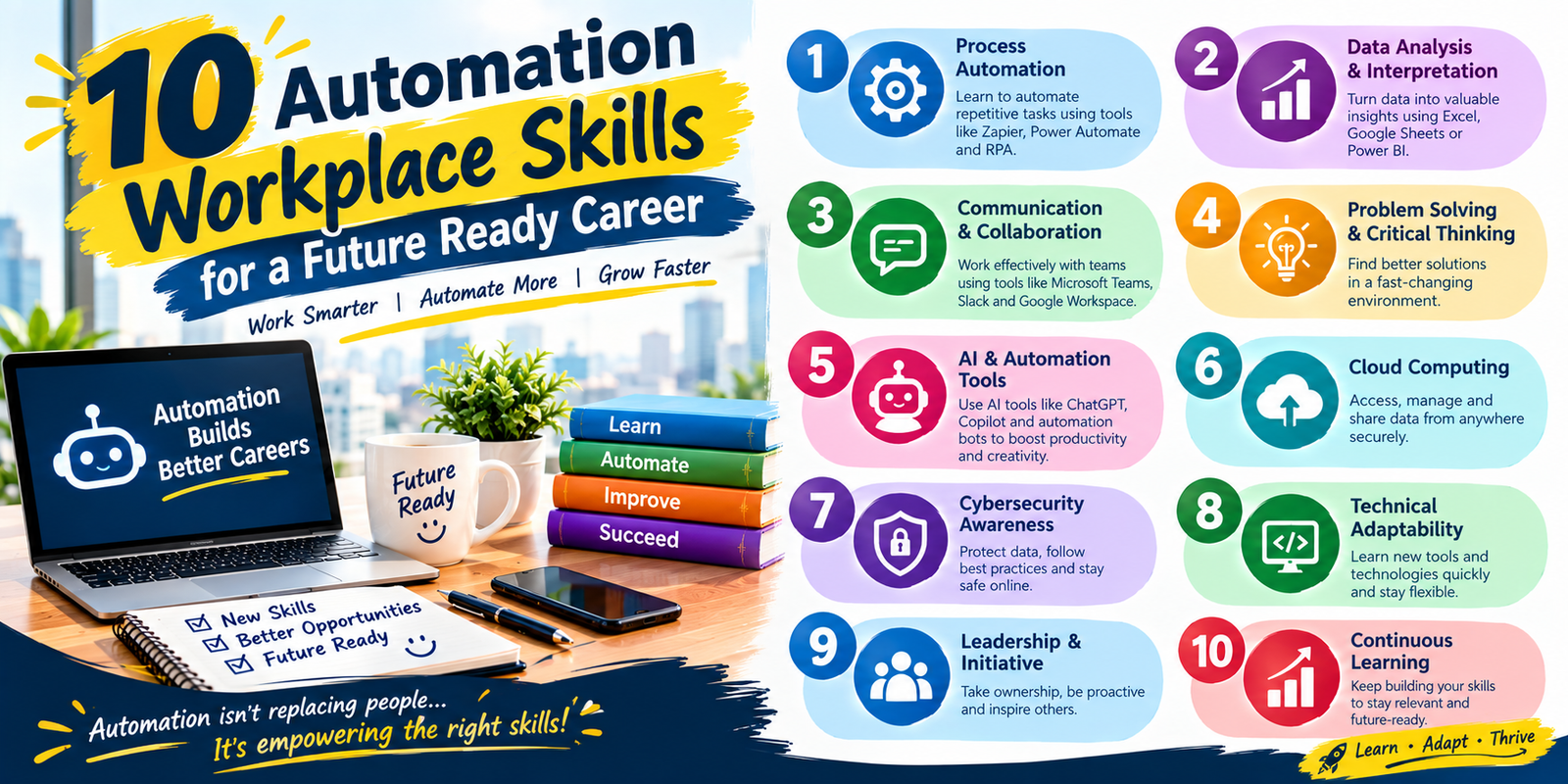
| Technical Skills | Human Skills |
|---|---|
| AI literacy | Critical thinking |
| Data analysis | Problem-solving |
| Digital tools | Communication |
| Spreadsheet skills | Creativity |
| Cybersecurity awareness | Collaboration |
| Workflow automation | Adaptability |
The goal is not to choose between technical and human abilities. A strong employee can combine both. For example, someone may use an AI tool to analyze information but rely on critical thinking to determine whether the output is useful.
How to Develop Automation Workplace Skills
Developing automation workplace skills is easier when learning is connected to real tasks. Instead of collecting information about dozens of tools, focus on abilities that solve problems in your current job or support your desired career.
Start With Your Current Responsibilities
Write down the tasks you perform regularly. Identify activities that are repetitive, digital, data-heavy, or dependent on software. These tasks can reveal which skills would provide the greatest practical benefit.
Review the Tools You Already Use
Many workplace applications contain features employees never use. Explore the functions available in your spreadsheet software, email platform, document system, project-management application, or collaboration tools.
Learning existing software more deeply can sometimes provide more value than immediately searching for a new platform.
Choose One Skill at a Time
Trying to learn AI, programming, cybersecurity, data analytics, project management, and multiple software platforms simultaneously can create unnecessary pressure. Choose one useful skill and practice it until you can apply it confidently.
Practice Through Projects
Projects provide evidence that you can apply what you have learned. Create a simple dashboard, organize a sample dataset, document a digital workflow, build a presentation, or create a process guide.
Practical work also helps reveal knowledge gaps that may not be obvious while watching tutorials.
Document Your Progress
Keep a record of the tools you learn, projects you complete, and problems you solve. This record can help you identify your strengths and provide useful examples when preparing a resume, portfolio, performance review, or writing skills for an interview.
Common Mistakes When Preparing for Automation
Building automation workplace skills does not require learning every technology that appears in the market. Several mistakes can make the learning process less effective.
Trying to Learn Everything
The technology landscape is too large for one person to master completely. Focus on skills that are relevant to your responsibilities, industry, or career goals.
Ignoring Human Skills
Some workers focus heavily on software and overlook communication, creativity, judgment, and collaboration. Technical knowledge alone may not prepare someone for complex workplace situations.
Trusting Automated Results Without Verification
Automation can reduce repetitive effort, but mistakes can still occur. Important outputs should be reviewed according to the level of risk involved.
Learning Without Practice
Watching tutorials can introduce a concept, but practical application develops confidence. Try to use every new skill in a realistic exercise or project.
Ignoring Security and Privacy
Employees should understand what information can safely be entered into digital platforms or AI systems. Confidential business, customer, financial, or personal information should be handled according to workplace policies and applicable requirements.
How Employers Can Support Automation Skills
Employees are not solely responsible for adapting to technological change. Organizations can also support workers by providing training, documentation, mentoring, practice environments, and clear guidelines.
Good training should connect new technology with actual responsibilities. Instead of teaching software features without context, employers can demonstrate how those features solve specific workplace problems.
Managers can also explain why a new system is being introduced, which tasks will change, and which responsibilities will remain with employees. Clear communication can make technology adoption easier and reduce confusion.
How Students Can Prepare for Automated Workplaces
Students can begin developing automation workplace skills before entering full-time employment. Basic digital literacy, AI literacy, communication, data analysis, critical thinking, and problem-solving can provide a strong foundation for many career paths.
Students can also create small projects that demonstrate practical abilities. Examples include analyzing a public dataset, building a spreadsheet report, creating a presentation, organizing research information, or documenting a simple digital workflow.
The objective should not be to collect certificates without understanding the subject. A small portfolio of meaningful projects can demonstrate how a student applies knowledge to practical situations.
How to Show Automation Skills on a Resume
Simply listing automation workplace skills on a resume can be less convincing than showing how those skills were applied.
For example, instead of writing only “AI skills,” describe how you used an AI-assisted workflow to organize information while reviewing the output for accuracy.
Instead of listing “data analysis,” mention the tools and activities involved, such as spreadsheet analysis, dashboard creation, data cleaning, reporting, or trend identification.
Specific examples make skills easier for employers to understand. If possible, connect each skill with a task, project, process improvement, or measurable responsibility.
Where These Skills Can Be Used
The need for automation workplace skills is not limited to technology companies. Digital systems are used across offices, financial services, healthcare administration, education, manufacturing, retail, logistics, marketing, customer service, and many other fields.
An HR employee may use automated recruitment or reporting tools. A sales professional may work with CRM automation. An administrative worker may use digital document workflows. A marketing employee may use AI-assisted research. A warehouse employee may interact with automated inventory systems.
The tools differ between industries, but the underlying abilities remain similar: learn technology, understand information, solve problems, communicate clearly, and adapt to changing processes.
How to Stay Valuable as Automation Changes Work
Employees can take several practical steps to remain adaptable as technology develops. First, pay attention to changes in your industry rather than trying to follow every technology trend. Learn which tools are actually becoming relevant to your responsibilities.
Second, build skills that complement automation. If software can perform a repetitive task, learn how to review the results, interpret the information, improve the process, or communicate the outcome.
Third, develop a habit of asking better questions. When a new tool is introduced, ask what problem it solves, what information it uses, what limitations it has, and where human review remains necessary.
Finally, keep learning gradually. The most sustainable approach to automation workplace skills is continuous improvement rather than trying to become an expert overnight.
Frequently Asked Questions
What are the most important skills for adapting to workplace automation?
The most useful automation workplace skills include digital literacy, AI literacy, data analysis, critical thinking, problem-solving, adaptability, communication, creativity, collaboration, cybersecurity awareness, and continuous learning. The right combination depends on the employee’s industry and responsibilities.
Do I need programming skills to adapt to workplace automation?
No. Programming can be valuable for technical careers, but many employees can work effectively with automation by developing digital literacy, AI literacy, data skills, process knowledge, and strong problem-solving abilities.
How can I start developing automation workplace skills?
Start with the technology and tasks you already use. Choose one relevant skill, learn its basic concepts, practice it through a realistic task, and gradually move toward more advanced applications.
Are human skills still important when more work becomes automated?
Yes. Communication, judgment, creativity, critical thinking, collaboration, and problem-solving remain useful because many workplace situations require context, interpretation, and decisions that cannot be reduced to repetitive automated tasks.
Can AI literacy help employees adapt to automation?
Yes. AI literacy can help employees understand how AI tools are used, recognize their limitations, evaluate generated information, protect sensitive data, and apply AI responsibly within workplace policies.
Should employees learn automation tools even if their current job has not changed?
Learning relevant tools can help employees prepare for changing workflows, but there is no need to learn every new platform. A better approach is to focus on technologies and abilities that are relevant to the employee’s industry, responsibilities, and career direction.
Conclusion
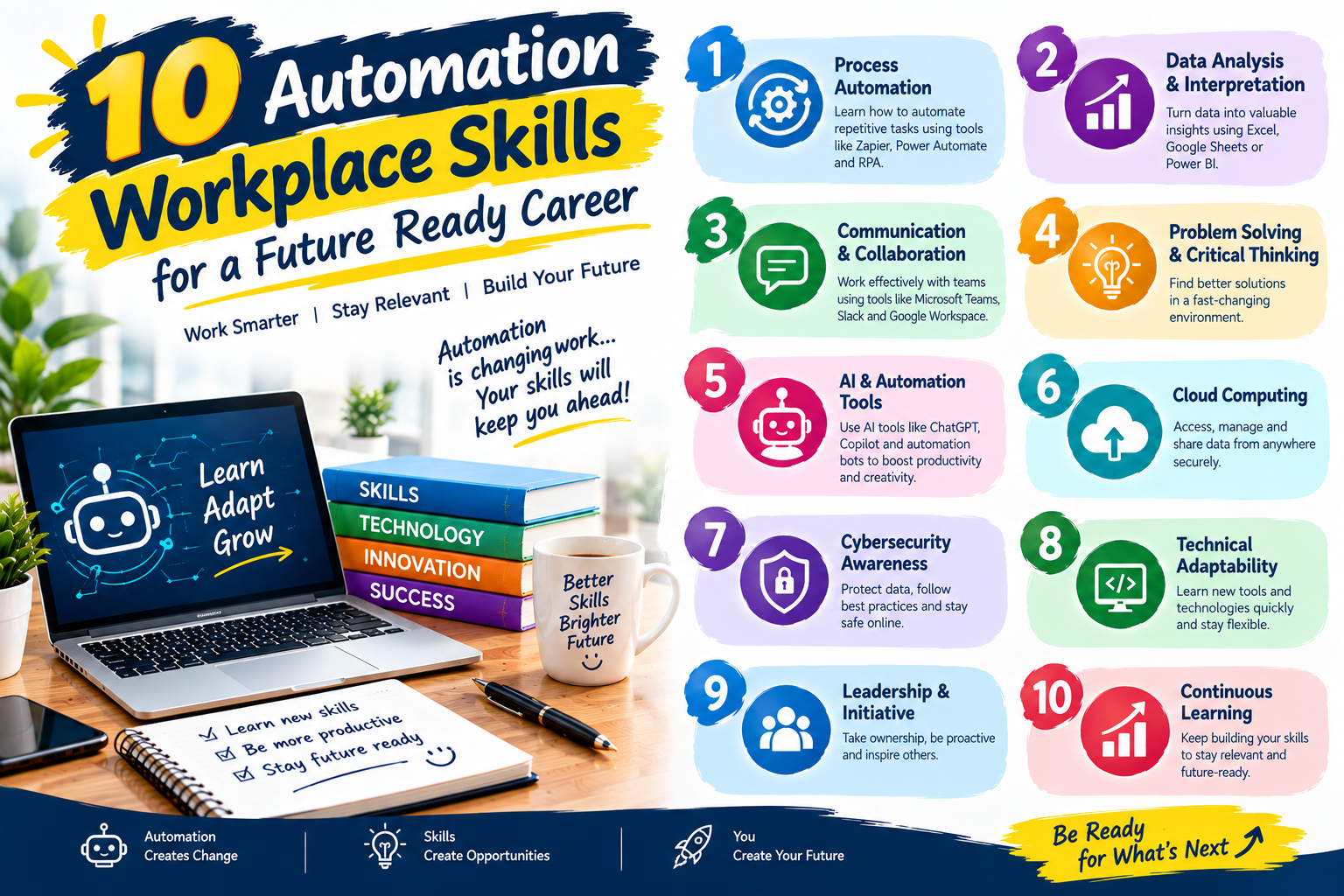
Workplace automation is changing tasks, workflows, and the way employees interact with technology. Preparing for these changes does not require predicting exactly which software will dominate the future. Instead, workers can build a balanced set of automation workplace skills that combines digital knowledge with human abilities.
Start with the skills most relevant to your current position or career goal. Learn one technology at a time, practice through realistic projects, verify automated results, protect confidential information, and strengthen communication and problem-solving abilities alongside technical knowledge.
The most useful approach is continuous improvement. As tools change, employees who can learn, adapt, evaluate information, and work effectively with others can continue developing their value in modern workplaces. Building automation workplace skills is therefore not simply about learning automation; it is about becoming a more adaptable and capable professional.