
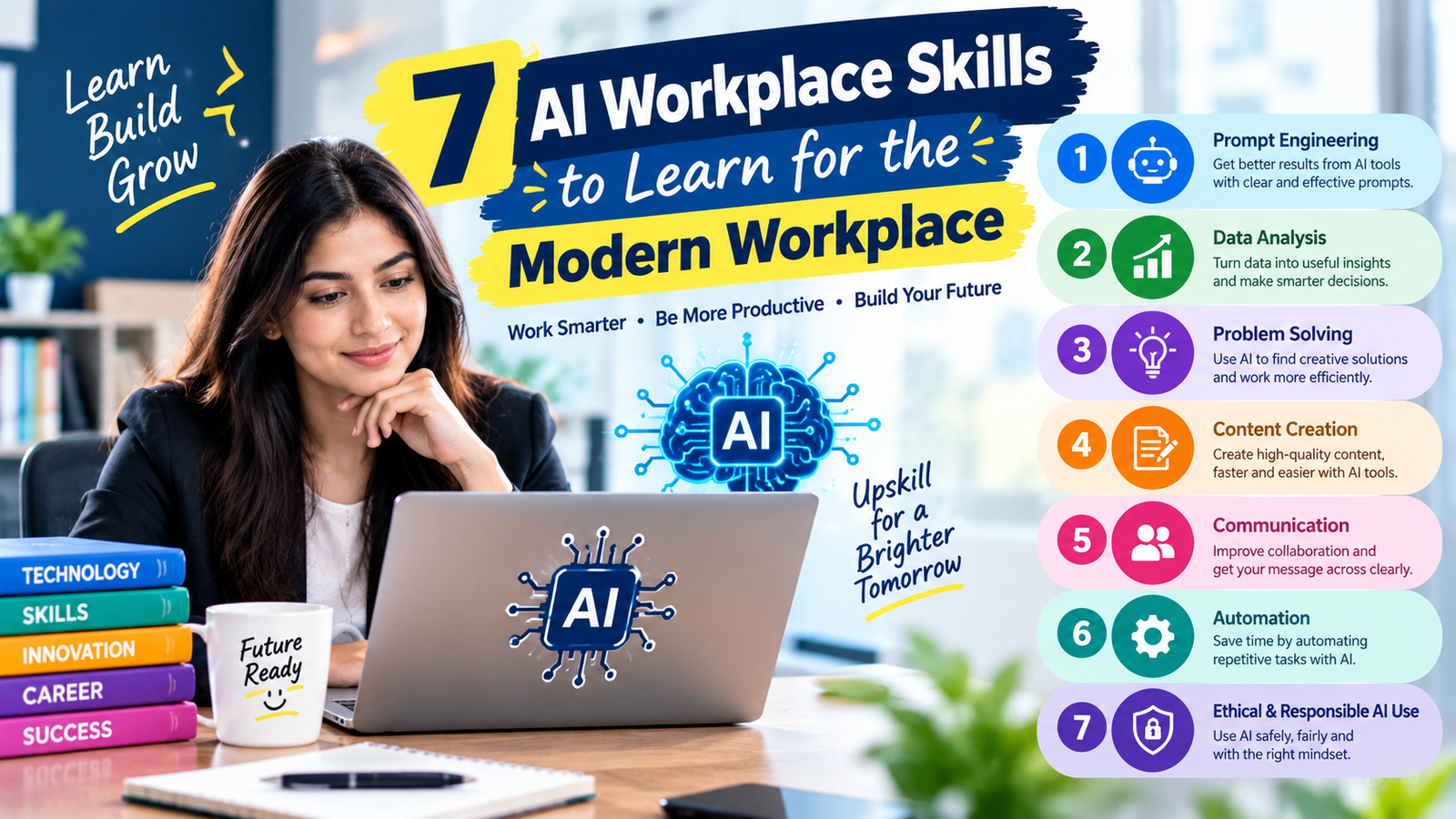
Artificial intelligence is becoming a practical part of everyday professional life. Employees are using AI to research information, organize documents, analyze data, draft communication, automate repetitive tasks, and support business decisions. However, using an AI tool occasionally is very different from developing the capabilities needed to use it responsibly and effectively. That is why AI workplace skills are becoming increasingly valuable across industries.
You do not need to become a machine learning engineer to benefit from artificial intelligence. For many professionals, the goal is to understand how AI works, communicate effectively with AI systems, verify generated information, protect sensitive data, and connect AI with existing workflows. These abilities can help employees work more efficiently while keeping human judgment at the center of important decisions.
This guide explains the most useful AI workplace skills, why they matter, how they apply to different careers, and how beginners can develop them through practical learning and workplace projects.
What Are AI Workplace Skills?
AI workplace skills are the practical abilities professionals use to understand, evaluate, apply, and manage artificial intelligence in their jobs. They include both technical and nontechnical capabilities. A marketing professional may need AI writing and prompt engineering, while an accountant may benefit more from data analysis and automation. A manager may need AI literacy, workflow design, and decision-making skills.
These skills are not limited to operating a particular application. Software changes quickly, so professionals should focus on transferable knowledge. Understanding how to structure a useful prompt, evaluate an AI-generated answer, protect confidential information, analyze data, and identify repetitive processes can remain useful even when the preferred AI platform changes.
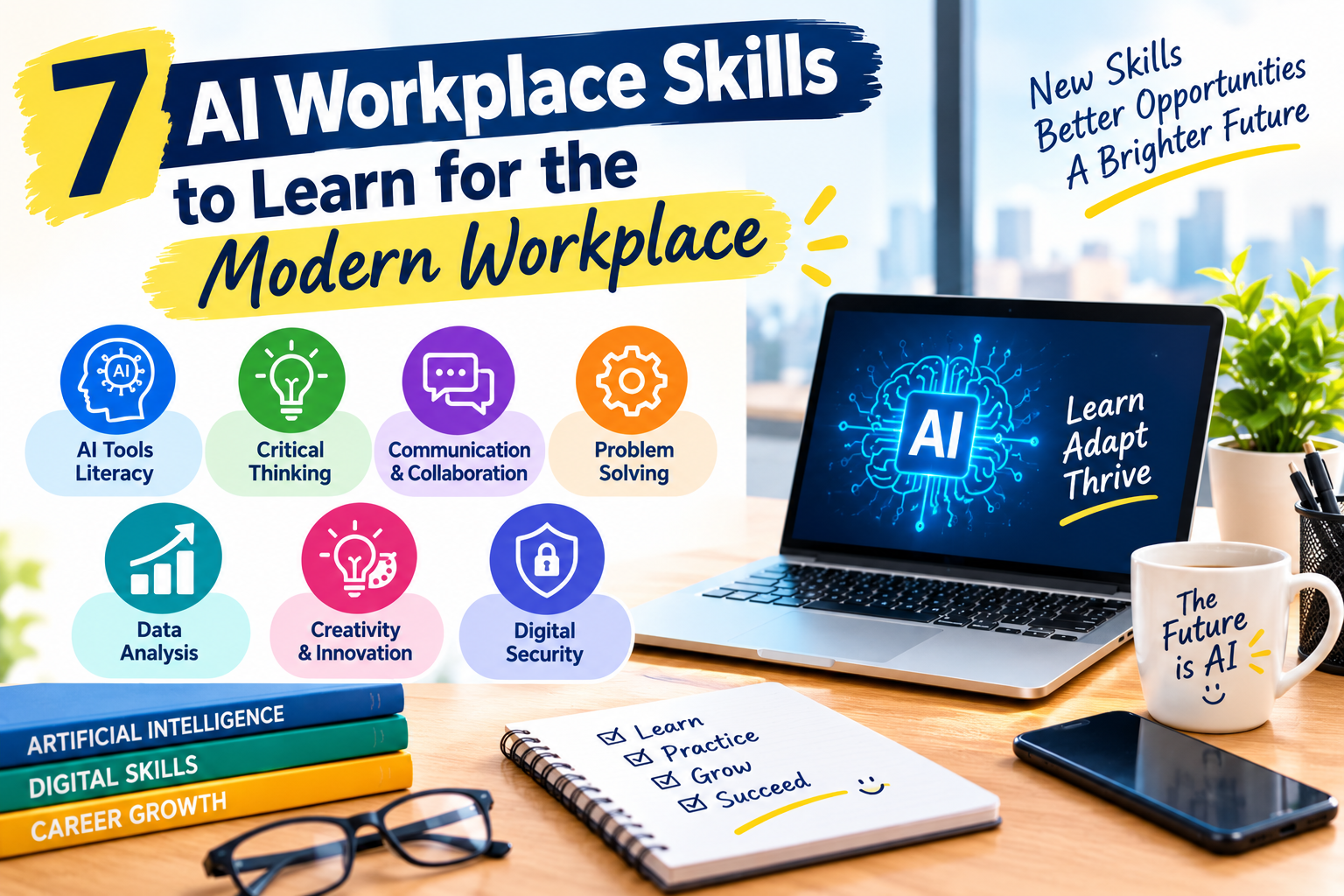
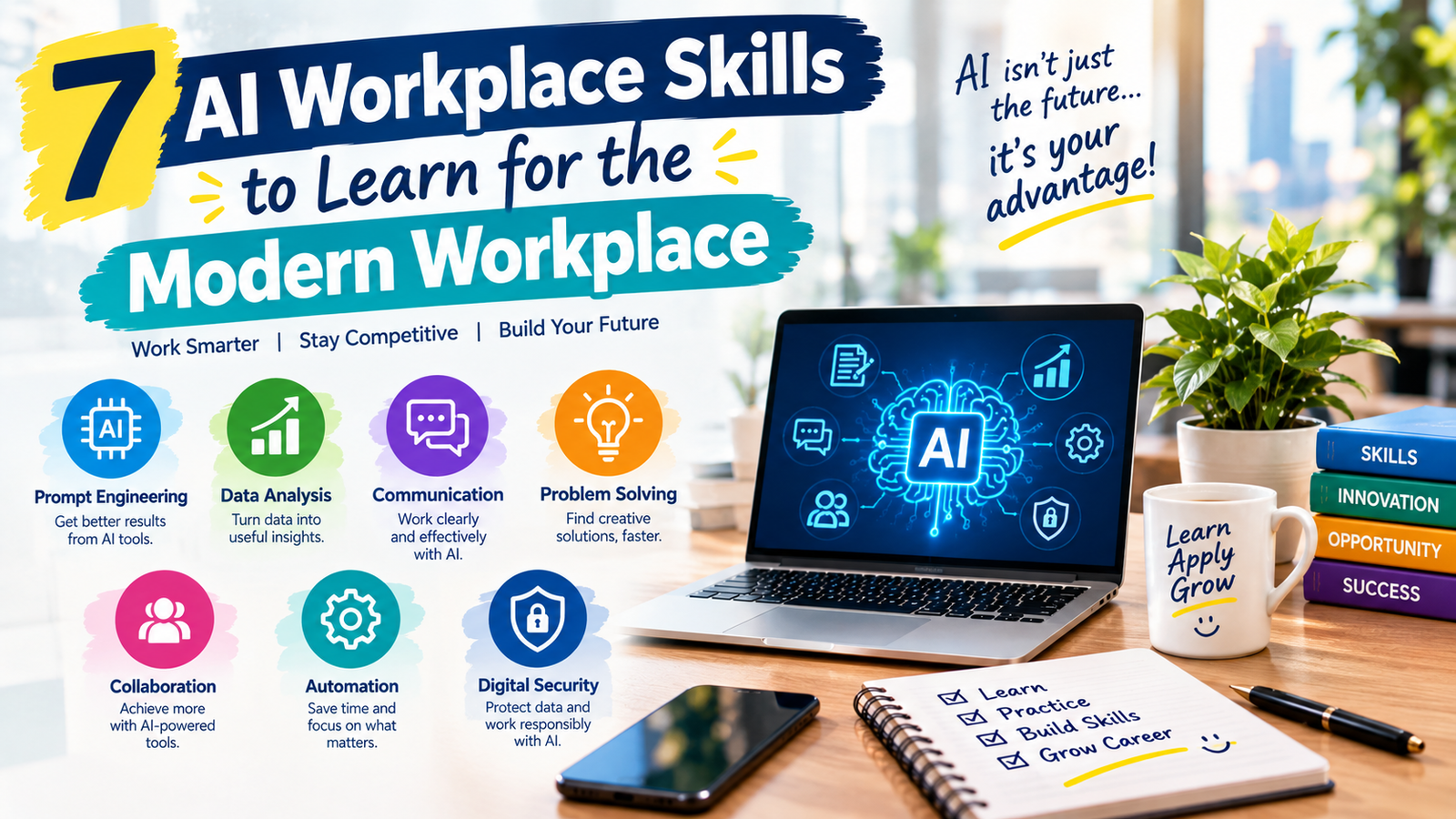
Important areas include AI literacy, prompt engineering, data analysis, digital tool fluency, workflow automation, AI-assisted communication, critical thinking, cybersecurity awareness, AI agents, analytical reasoning, adaptability, and creative thinking.
Why AI Workplace Skills Matter in the Modern Workplace
AI is moving beyond specialist technology departments and becoming part of ordinary business workflows. Employees may encounter AI while writing emails, preparing reports, researching markets, creating presentations, analyzing spreadsheets, answering customer questions, or managing projects. This makes AI workplace skills relevant to a much wider group of workers than traditional technology roles.
The World Economic Forum’s Future of Jobs Report 2025 identifies AI and big data among the fastest-growing skill areas for the 2025–2030 period. The report also highlights networks and cybersecurity, technological literacy, creative thinking, resilience, flexibility, curiosity, and lifelong learning as important areas for workers.
Microsoft’s Work Trend Index has also described a workplace where employees increasingly work alongside AI and agents. In this environment, people may spend less time on certain repetitive activities while taking greater responsibility for directing work, reviewing results, and making decisions.
This shift does not mean every job will require advanced programming. Instead, it creates demand for professionals who can combine their existing industry knowledge with effective technology use. That combination is where AI workplace skills become especially useful.
1. AI Literacy
AI literacy is the foundation of modern AI use. It means understanding what artificial intelligence can do, where it can fail, what information it needs, and why its output should sometimes be checked before being used.
Strong AI workplace skills begin with understanding concepts such as generative AI, machine learning, large language models, training data, hallucinations, context, automation, AI agents, and responsible AI literacy. A beginner does not need advanced mathematics to understand these concepts. The objective is to develop enough knowledge to make sensible decisions about when and how AI should be used.
- Understand basic AI and machine learning concepts.
- Learn the strengths and limitations of generative AI.
- Understand how AI generates text, images, code, and summaries.
- Learn how to verify AI-generated information.
- Understand privacy, confidentiality, and responsible AI use.
- Follow workplace rules for approved AI tools.
AI literacy also helps employees recognize tasks that are suitable for AI assistance and tasks that still require direct human attention.
2. Prompt Engineering
Prompt engineering is the ability to give AI clear, structured instructions. It is one of the most accessible AI workplace skills because employees can apply it to many ordinary tasks without learning programming.
A useful prompt normally explains the task, provides relevant context, identifies the intended audience, establishes constraints, and describes the desired format. A vague instruction such as “Improve this report” gives an AI system little information about what improvement actually means.
A stronger prompt could specify that the report is intended for senior managers, should use simple language, should preserve important figures, and should present the main findings in a short executive format.
A Practical Prompt Framework
- Explain the task clearly.
- Provide the necessary background information.
- Describe the intended audience.
- Specify the desired format.
- Set relevant limits such as length, tone, or structure.
- Ask the system to identify uncertainty when appropriate.
- Review the output and refine the prompt.
Good AI workplace skills are not about discovering one perfect prompt. They are about learning how to communicate clearly with an AI system and improving instructions based on the quality of the result.
3. Data Analysis
Modern employees encounter data in almost every industry. Businesses use spreadsheets, dashboards, customer records, financial reports, survey results, sales figures, operational metrics, and performance indicators. AI can support data analysis, but professionals still need to understand what the numbers mean.
Useful AI workplace skills in this area include spreadsheet formulas, data cleaning, basic statistics, chart interpretation, trend identification, and the ability to question unusual results.
Professionals can gradually develop familiarity with tools such as Microsoft Excel, Google Sheets, Power BI, SQL, and Python. The appropriate level depends on the career. A manager may need to interpret dashboards, while a data analyst may need advanced SQL and programming skills for data analysis.
AI can help generate formulas, explain datasets, identify patterns, or suggest visualizations. However, users should verify calculations and understand the underlying data before relying on an AI-generated interpretation.
4. Digital Skills and Tool Fluency
AI does not operate in isolation. It is often connected to documents, spreadsheets, communication platforms, cloud storage, project-management systems, customer databases, and other digital services. Employees therefore need strong general digital skills alongside their AI knowledge.
Effective AI workplace skills include the ability to organize files, collaborate through cloud platforms, manage digital documents, use productivity applications, understand basic cybersecurity practices, and move information between systems appropriately.
Someone who understands AI but struggles with basic digital organization may still have difficulty building efficient workflows. Technology becomes more useful when employees understand the broader environment in which it operates.
5. Workflow Automation
Workflow automation involves identifying repetitive steps and connecting software so that routine activities require less manual effort. This is one of the most practical areas of AI workplace skills because automation can be applied to many administrative and operational processes.
For example, a business might receive information through an online form. An automated workflow could place that information into a spreadsheet, notify a responsible employee, create a task, and send a confirmation message. AI could then classify the submission, summarize the information, or identify which department should receive it.
How to Identify Automation Opportunities
- List tasks you perform repeatedly.
- Identify steps based on predictable rules.
- Find activities that require copying information between systems.
- Separate routine work from judgment-heavy decisions.
- Begin with low-risk processes.
- Monitor errors and review the workflow regularly.
Automation should make a process easier to manage rather than creating a complicated system that employees do not understand.
6. AI Writing and Professional Communication
Writing is another area where AI can support professionals. Employees can use AI to brainstorm ideas, create outlines, summarize documents, improve clarity, adapt content for different audiences, and prepare first drafts.
However, AI workplace skills in writing require more than generating text. Professionals must understand the purpose of the communication, verify facts, preserve the correct tone, remove unsupported statements, and review the final version through careful fact checking.
AI can assist with business emails, meeting summaries, reports, proposals, presentations, documentation, customer communication, job descriptions, and internal knowledge materials.
The human writer remains responsible for the message. AI should normally be treated as a drafting and editing assistant rather than an automatic publishing system.
7. Critical Thinking and Verification
As AI becomes better at producing fluent answers, the ability to evaluate those answers becomes increasingly important. AI systems can sometimes produce incorrect information, incomplete explanations, outdated details, or statements that sound convincing but lack sufficient evidence.
Strong AI workplace skills therefore include asking whether a claim is supported, whether the source is reliable, whether the numbers match the original information, and whether important context has been omitted.
Verification is especially important in areas such as finance, healthcare, legal services, human resources, cybersecurity, public communication, and other fields involving sensitive or high-impact decisions.
8. Cybersecurity and Data Privacy
AI tools can make work faster, but they also introduce data-handling questions. Employees should understand which information can be entered into an AI system and which information should remain protected.
Important AI workplace skills include understanding strong authentication, phishing awareness, access controls, secure file sharing, data classification, password security, and organizational AI policies.
Professionals should never assume that every AI service handles information in exactly the same way. Organizations may have approved platforms and specific rules concerning confidential information, customer records, intellectual property, and employee data.
Cybersecurity awareness becomes particularly important as AI systems become integrated into larger business workflows.
9. AI Agents and Human-Agent Collaboration
AI agents are systems designed to perform multiple steps toward a defined objective. Instead of simply answering one question, an agent may interact with tools, retrieve information, process data, or complete a sequence of actions within specified boundaries.
Understanding AI agents is becoming another useful area of AI workplace skills. Employees do not necessarily need to build sophisticated agents themselves. They may instead need to understand how to define tasks, establish boundaries, provide inputs, monitor outputs, and intervene when something goes wrong.
Microsoft’s Work Trend Index has discussed the emergence of workplaces where employees increasingly delegate certain tasks to AI agents while retaining responsibility for outcomes. This makes supervision and judgment important parts of human-agent collaboration.
10. Analytical Thinking and Problem Solving
AI can generate ideas quickly, but it does not remove the need for human reasoning. Professionals still need to understand the problem, identify constraints, evaluate alternatives, and decide which solution fits the actual situation.
Analytical reasoning strengthens AI workplace skills because it helps employees use AI as a problem-solving assistant instead of simply accepting the first generated response.
A useful process is to define the problem, divide it into smaller parts, identify available information, generate possible solutions, test assumptions, and review the results. AI can assist at several stages, but human judgment remains important.
11. Adaptability and Continuous Learning
AI technology changes quickly. A tool that is popular today may introduce new features tomorrow, while another application may become less relevant. Professionals therefore need a learning approach that focuses on concepts rather than temporary tool names.
Continuous learning is one of the most important AI workplace skills because it allows employees to adjust as technology and workplace requirements change.
The World Economic Forum has highlighted curiosity and lifelong learning alongside creative thinking, resilience, and flexibility. Professionals who regularly update their knowledge can better understand new tools and decide whether those tools actually solve useful problems.
12. Creative Thinking and Human Skills
Technical AI knowledge is only one part of professional development. Creativity, communication, collaboration, leadership, empathy, negotiation, and judgment remain valuable because organizations need people who understand customers, colleagues, goals, and context.
These capabilities complement AI workplace skills. AI may generate ten possible ideas, but a human may need to determine which idea fits the brand, customer, budget, or organizational objective.
The World Economic Forum’s skills outlook identifies creative thinking, analytical thinking, resilience, flexibility, leadership, and social influence among important skills for the changing labor market.
Which AI Skills Should You Learn First?
The right learning path depends on your occupation, experience, and career goals. However, beginners can generally start with AI literacy, prompt engineering, verification, digital organization, and one practical application connected to their current job.
| Career Area | Useful Starting Skills | Potential Next Step |
|---|---|---|
| Marketing | AI literacy, prompting, analytics, AI writing | Automation and customer-data analysis |
| Finance | AI literacy, spreadsheets, data analysis | Automation and dashboard skills |
| Human Resources | AI literacy, writing, data handling | Workflow automation and responsible AI |
| Education | Prompting, research, AI writing | Content workflows and data analysis |
| IT | AI literacy, programming, cybersecurity | Agents, automation, and AI systems |
| Management | AI literacy, analytics, communication | AI strategy and workflow redesign |
The table shows why AI workplace skills should not be treated as a single fixed skill set. Different professionals can build different combinations depending on the problems they solve.
How to Build AI Workplace Skills in 90 Days
A focused 90-day plan can be more effective than collecting dozens of courses without practicing what you learn. The goal should be to connect learning with real tasks and measurable improvements.
Days 1–30: Build the Foundation
Start with AI literacy, prompt engineering, responsible use, verification, and data privacy. Choose an approved AI tool and practice with low-risk tasks such as summarizing your own notes, improving drafts, generating outlines, organizing information, or creating research questions.
During this period, focus on understanding why a prompt works rather than simply collecting prompt templates.
Days 31–60: Apply AI to Your Job
Choose two or three repetitive tasks from your normal work. Test whether AI can assist with research, drafting, classification, analysis, documentation, or another appropriate activity.
Keep track of the time required, quality of the result, mistakes, and verification effort. This practical approach helps turn theoretical knowledge into useful AI workplace skills.
Days 61–90: Build a Practical Project
Create a small project that demonstrates what you have learned. This could be an automated reporting workflow, a structured prompt library, an AI-assisted research process, a spreadsheet analysis system, or a documented content workflow that strengthens your technology skills.
Record the problem, process, tools used, verification steps, and final outcome. This gives you evidence that your learning can be applied to a real professional situation.
How to Show AI Skills on a Resume
Simply writing “AI” or “ChatGPT” on a resume does not explain what you can actually do. Employers and hiring managers can understand your abilities more clearly when you describe practical applications.
For example, instead of writing “AI skills,” describe that you created AI-assisted content workflows, developed structured prompts, automated recurring reports, analyzed business data, improved document-review processes, or supported research using approved AI tools.
Strong AI workplace skills are easier to demonstrate when they are supported by projects, work samples, relevant training, process improvements, or measurable results.
Common Mistakes to Avoid
- Learning tools without understanding concepts: Individual applications can change, while transferable principles remain useful.
- Trusting every AI response: Verify important facts, calculations, sources, and recommendations.
- Uploading sensitive information: Follow organizational data and AI policies.
- Automating unclear processes: Understand and improve the workflow before automating it.
- Ignoring human skills: Communication, judgment, creativity, and collaboration remain important.
- Collecting certificates without practice: Apply what you learn to realistic tasks.
- Using too many tools at once: Master a small number of useful applications before expanding.
- Skipping documentation: Record important workflows so others can understand and maintain them.
How to Choose the Right AI Learning Path
The right learning path should match your current role and the type of work you want to perform in the future. Someone working in marketing may focus on AI writing, customer analysis, research, and automation. A financial professional may prioritize spreadsheets, data analysis, forecasting, and reporting. An IT professional may need programming, cybersecurity, APIs, AI systems, and agents.
Useful AI workplace skills should solve real problems rather than simply adding another technology to your resume. Before starting a course or certification, consider whether it includes practical exercises, current concepts, responsible-use guidance, and projects that can be applied to your career.
Beginners should also avoid trying to learn everything simultaneously. A focused learning path can produce stronger results than constantly switching between unrelated tools.
Do You Need Programming to Work With AI?
No. Many useful AI applications require no programming. Employees can use AI for writing, research, brainstorming, summarization, communication, basic analysis, and workflow support without becoming software developers.
Programming becomes more useful when your role involves advanced automation, APIs, data engineering, software development, machine learning, or custom AI applications.
For nontechnical professionals, understanding the basic logic behind automation and data can be enough to collaborate effectively with technical teams.
How AI Can Improve Everyday Work
AI can support a wide range of professional activities when used appropriately. A project manager might use it to organize meeting notes and identify follow-up actions. A marketer could use it to brainstorm campaign concepts. A researcher might use it to organize questions before reviewing primary sources. An analyst could use it to explain spreadsheet formulas or explore patterns in a dataset.
These examples demonstrate how AI workplace skills can complement existing professional expertise rather than replacing the need for that expertise.
The key is to identify where AI adds useful support. If a task involves confidential information, high-risk decisions, complex judgment, or strict regulatory requirements, additional safeguards may be necessary.
How Employers Can Support AI Skill Development
Organizations can support employees by providing approved AI tools, clear policies, practical training, and opportunities to experiment with low-risk use cases. Employees should know which information can be entered into AI systems and which information must remain protected.
Companies can also encourage teams to document successful workflows and share lessons learned. This creates an environment where AI workplace skills can spread across departments rather than remaining limited to a few employees.
Training should include both technical capabilities and responsible-use practices. Employees need to know not only how to generate an answer but also how to evaluate it, protect information, and recognize situations where human review is essential.
The Role of Human Judgment in an AI Workplace
AI can produce information quickly, but speed does not automatically equal quality. Human professionals still provide context, priorities, ethical judgment, accountability, creativity, and relationship management.
This is why AI workplace skills should be developed alongside communication, leadership, analytical reasoning, creativity, and domain expertise.
A useful way to think about AI is as an additional capability within a professional toolkit. The technology can assist with certain tasks, but people remain responsible for understanding objectives and evaluating consequences.
Building a Long-Term AI Career Strategy
Career development should not depend on one AI application. Instead, professionals can build a combination of transferable technical and human capabilities. Start with AI literacy, then add prompting, data analysis, automation, cybersecurity awareness, and communication according to your role.
Over time, AI workplace skills can become part of a broader professional profile. Someone who understands both AI and a specific industry can potentially contribute more effectively to projects involving process improvement, digital transformation, research, customer service, content, analytics, or operations.
Keep learning, but evaluate every new tool carefully. Ask whether it solves a real problem, whether the output can be verified, whether data can be handled safely, and whether the workflow remains understandable to the people responsible for it. These career skills can help professionals adapt to changing workplace expectations.
Frequently Asked Questions
What are the most useful AI workplace skills?
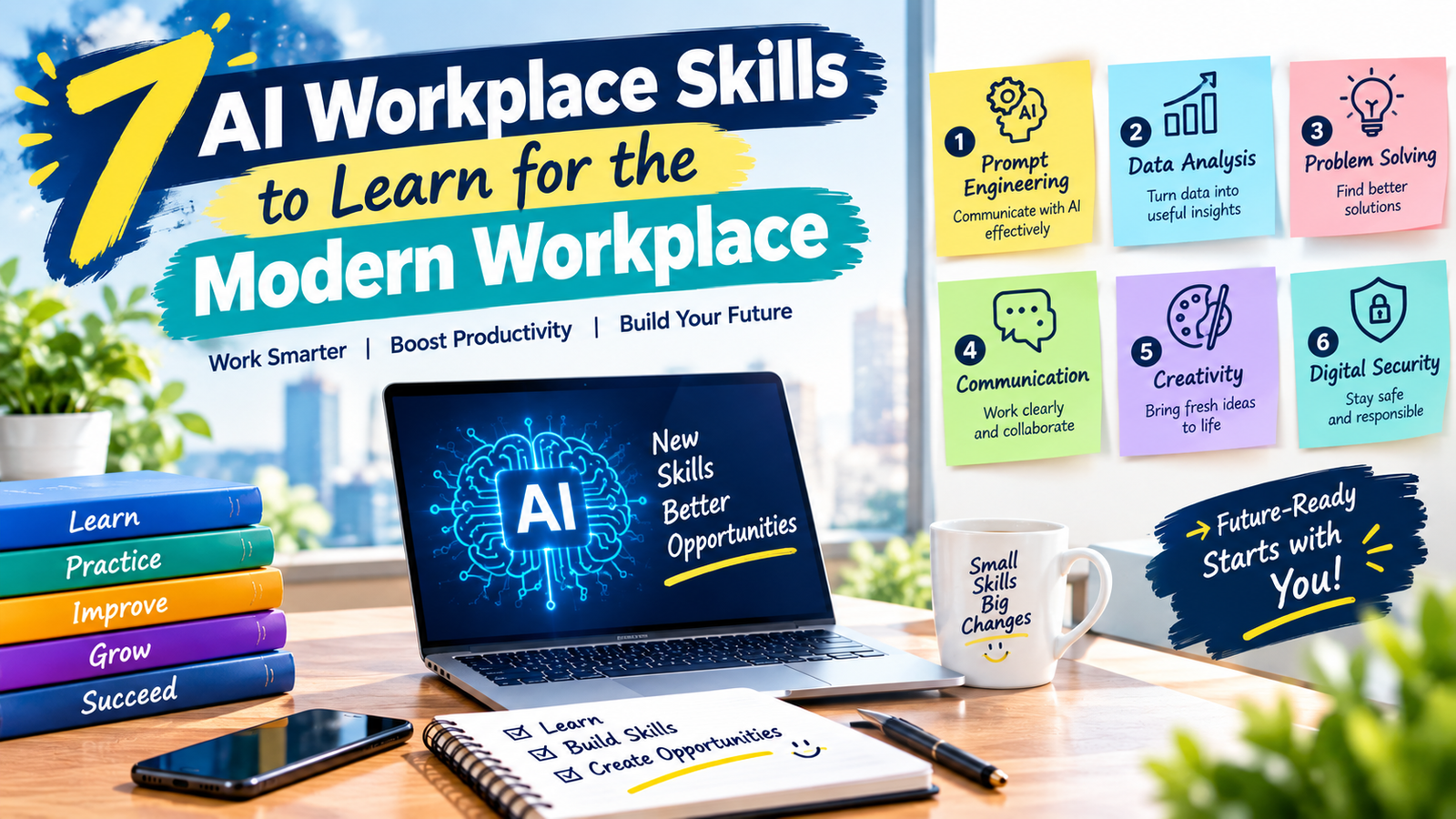
The most broadly useful AI workplace skills include AI literacy, prompt engineering, data analysis, workflow automation, critical thinking, digital skills, cybersecurity awareness, and effective communication. The right combination depends on your profession.
Do I need programming to develop AI workplace skills?
No. Many workplace applications do not require programming. Writing, research, summarization, brainstorming, document organization, and basic analysis can often be performed with no-code or low-code tools. Programming becomes more important for advanced automation, software development, data engineering, and custom AI systems.
Is prompt engineering still important?
Yes. Prompting is one part of broader AI workplace skills. Clear instructions, useful context, constraints, examples, evaluation, and verification remain valuable even as AI interfaces become easier to use.
How can beginners practice AI safely?
Start with low-risk tasks and use approved tools. Avoid entering confidential information unless your organization’s policies specifically allow it. Practice drafting, summarizing, brainstorming, organization, and basic analysis, then verify important results before using them professionally.
Which human skills should be learned alongside AI?
Creative thinking, analytical reasoning, communication, collaboration, leadership, adaptability, and judgment are useful complements to technical AI capabilities. AI can support these areas, but human professionals still need to understand goals, relationships, context, and consequences.
How can I prove my AI skills to an employer?
Build practical evidence. Explain projects, workflows, automations, analyses, or content processes you have completed. Describe the problem, your approach, the AI tools involved, the verification process, and the outcome. A small portfolio can make your AI workplace skills easier for an employer to understand.
Conclusion
The modern workplace does not require every employee to become an AI engineer. It does require professionals to understand how artificial intelligence can support their work and where human judgment remains necessary. AI literacy, prompt engineering, data analysis, workflow automation, cybersecurity awareness, communication, and critical thinking can provide a practical foundation for adapting to changing workplace expectations.
The most valuable AI workplace skills are not simply the ability to operate a popular AI application. They involve knowing what problem you are trying to solve, selecting an appropriate tool, giving useful instructions, checking the result, protecting sensitive information, and making responsible decisions.
Employees, students, managers, freelancers, and career changers can begin with small projects and gradually expand their capabilities. Instead of trying to learn every new AI tool, focus on transferable skills that improve the quality, efficiency, and reliability of your work. With consistent practice, AI workplace skills can become a practical part of long-term professional development.