
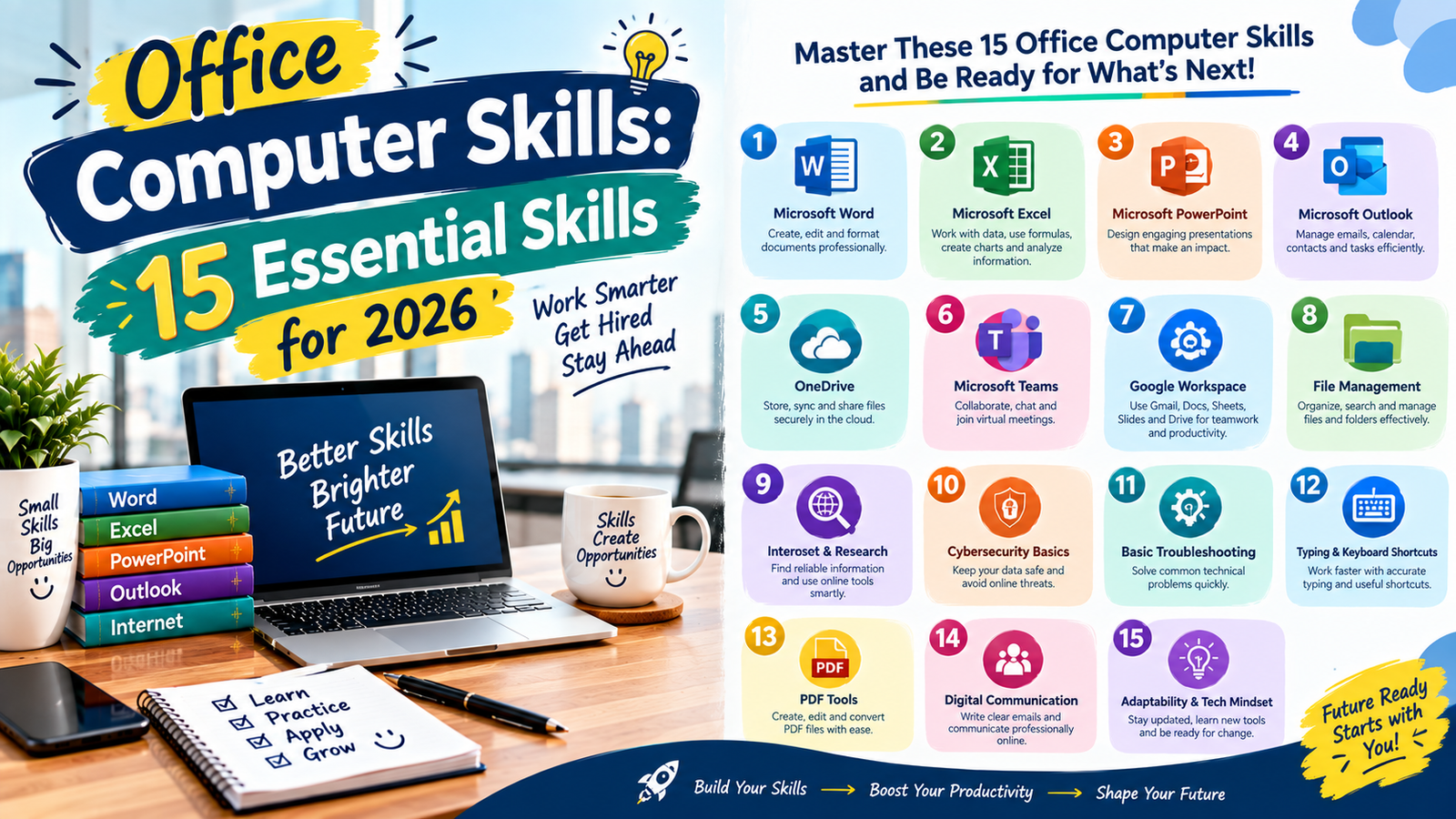
Computer skills are essential for many office jobs, from administrative assistants and data entry operators to accountants, customer service representatives, and office managers. Employers often expect candidates to use computers confidently, manage digital documents, communicate professionally, and complete everyday tasks accurately. Developing the right office computer skills can help you qualify for more opportunities, improve your productivity, and perform your responsibilities with greater confidence.
Whether you are a student preparing for your first job, a recent graduate, or an experienced employee looking to improve your abilities, learning practical office computer skills can make a meaningful difference. You do not need to master every software program. Instead, focus on the tools and techniques that match your career goals.
This guide explains 15 important computer skills for office jobs, including Microsoft Office, typing, email communication, spreadsheets, online research, data management, and digital security. These office computer skills can help you handle common workplace responsibilities more effectively. You will also learn how to develop these abilities, demonstrate them on your resume, and prepare for common workplace tasks.
Why Office Computer Skills Matter for Office Jobs
Most modern offices rely on digital tools to manage information, communicate with customers, prepare reports, organize schedules, and complete daily operations. Strong office computer skills can help employees complete routine tasks efficiently and reduce avoidable errors.
Computer literacy also helps workers adapt to new software and workplace systems. Even when a company uses specialized applications, basic knowledge of files, spreadsheets, email, and online communication provides a useful foundation. Developing practical office computer skills can make it easier to learn unfamiliar workplace technology.
For job seekers, relevant computer skills can strengthen a resume and help demonstrate readiness for an administrative or professional role. For existing employees, improving office computer skills may support better performance and prepare them for additional responsibilities.
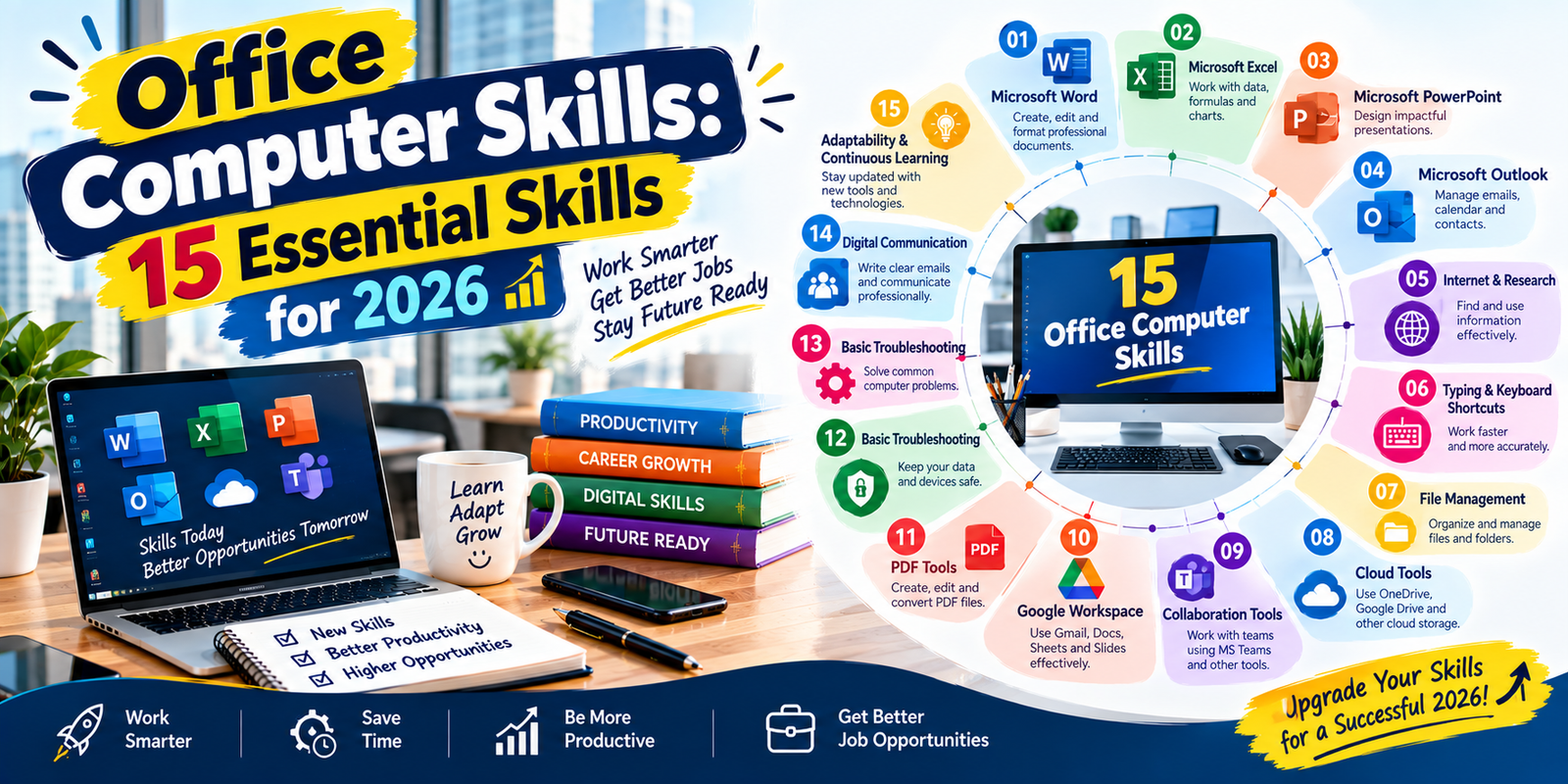
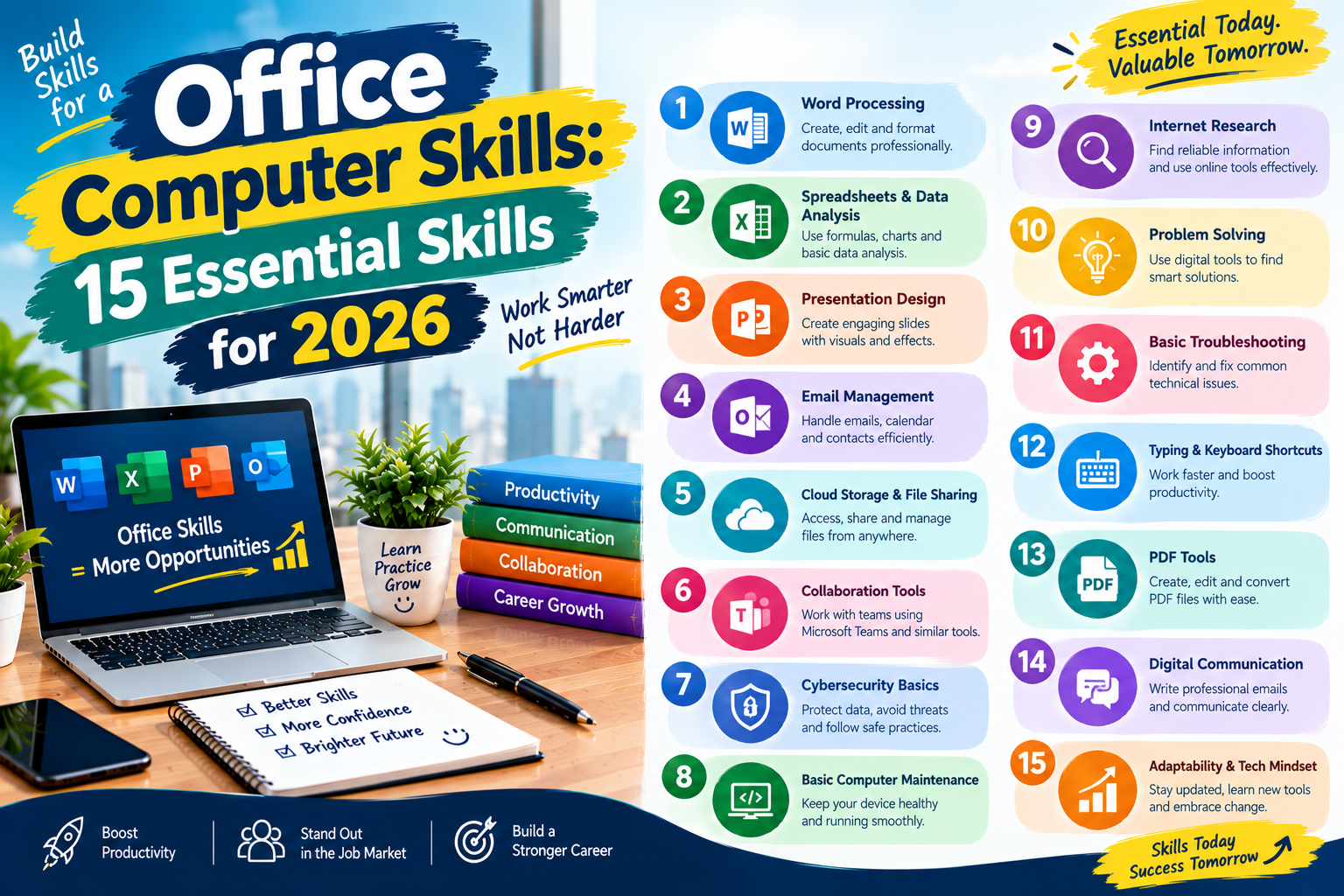
15 Best Computer Skills for Office Jobs
1. Microsoft Word and Document Formatting
Microsoft Word is widely used to create, edit, and format professional documents. Administrative assistants, office coordinators, HR staff, and many other employees use word-processing software to prepare letters, reports, notices, meeting minutes, and business documents. Learning office computer skills related to document formatting can help you produce professional workplace materials.
Important skills include:
- Creating and editing documents.
- Formatting headings, paragraphs, margins, and page layouts.
- Using tables, lists, headers, and footers.
- Checking spelling and grammar.
- Inserting images, links, and page numbers.
- Saving documents in Word and PDF formats.
- Using templates and track changes when appropriate.
For example, an office assistant may need to prepare a formal letter, format a meeting agenda, or create a report that follows company guidelines. Strong document formatting helps make these materials clear and professional.
2. Microsoft Excel and Spreadsheet Management
Excel is one of the most useful tools for office work because it helps employees organize information, perform calculations, and analyze data. It is commonly used in accounting, administration, sales, inventory management, and reporting. Spreadsheet knowledge is therefore one of the most valuable office computer skills for many employees, especially when working with Excel spreadsheets.
Start by learning how to:
- Enter and format data in rows and columns.
- Use basic formulas such as SUM, AVERAGE, MIN, and MAX.
- Apply sorting and filtering.
- Use conditional formatting to highlight important information.
- Create charts and simple reports.
- Work with tables and basic data validation.
- Understand common functions such as IF and COUNTIF.
For instance, an employee may use a spreadsheet to track attendance, calculate monthly expenses, maintain an inventory list, or summarize sales figures.
Excel proficiency is especially useful for roles involving numerical information. Advanced functions, pivot tables, and lookup formulas can be learned later as your responsibilities grow.
3. Microsoft PowerPoint and Presentation Design
PowerPoint helps employees communicate information through slides. It is useful for business meetings, training sessions, project updates, sales presentations, and educational activities. Presentation design is another practical area of office computer skills because employees may need to explain information to managers, clients, or colleagues.
Key presentation skills include creating organized slides, selecting readable fonts, using charts, adding images, and maintaining a consistent design. You should also know how to present information in a logical order without overcrowding slides with text.
A professional presentation usually includes a clear title, a few main points per slide, and visual elements that support the message. Learning these techniques can help you explain ideas to colleagues, managers, and clients.
4. Professional Email Communication
Email is a standard communication tool in many workplaces. Employees use it to share updates, send documents, request information, confirm appointments, and communicate with customers or colleagues. Professional email management is therefore an important part of office computer skills.
Important email skills include:
- Writing clear and meaningful subject lines.
- Using a professional greeting and closing.
- Keeping messages concise and organized.
- Attaching the correct files.
- Using CC and BCC appropriately.
- Managing inbox folders and labels.
- Recognizing suspicious messages and phishing attempts.
For example, when sending a report to a manager, mention the purpose of the email, identify the attached file, and explain whether any action is required.
Professional email habits reduce confusion and help maintain effective workplace communication.
5. Typing Speed and Accuracy
Typing is a basic but valuable skill for office employees who regularly prepare documents, enter records, respond to messages, or update databases. Improving typing ability is one of the simplest ways to strengthen your office computer skills.
Typing speed is commonly measured in words per minute (WPM), while accuracy measures how many characters or words are entered correctly. Both matter. Fast typing is less useful if it creates frequent errors that require additional correction.
To improve your typing ability, practice touch typing, maintain a comfortable posture, and focus on accuracy before increasing speed. Short daily practice sessions can help build consistency.
Typing requirements vary by role. Data entry positions may place greater emphasis on speed and accuracy, while other office jobs may require more time for writing, analysis, and communication.
6. File Management and Folder Organization
File management involves creating, naming, saving, organizing, and retrieving digital documents. Good file organization makes it easier to locate information and reduces the risk of losing important work. These basic office computer skills are useful in almost every workplace.
Useful skills include creating structured folders, using clear file names, recognizing file extensions, moving and copying documents, and understanding local versus cloud storage.
For example, a folder system organized by department, project, and year can make shared documents easier to locate. Consistent naming conventions also help employees identify the latest version of a file.
Learn how to use File Explorer on Windows or Finder on macOS, depending on the computer you use. These basic tools support almost every office workflow.
7. Internet Research and Information Evaluation
Office employees often use the internet to find information, verify details, review regulations, research customers, and gather material for reports. Effective online research should therefore be considered an important part of office computer skills.
Effective online research involves selecting useful search terms, comparing sources, checking publication dates, and distinguishing reliable information from unsupported claims.
Employees should also understand how to recognize official websites, use search filters, and verify important facts before sharing them with colleagues or customers.
These skills are particularly helpful for administrative assistants, researchers, marketing staff, customer support teams, and employees who prepare business reports.
8. PDF Editing and Document Conversion
PDF files are commonly used for official forms, contracts, reports, invoices, and documents that need to retain their layout across different devices. Understanding PDF tools can expand your office computer skills and make document handling easier.
Useful PDF skills include opening and reviewing files, combining documents, converting Word files to PDF, filling out forms, adding comments, and understanding basic digital signatures.
Some tasks require specialized software, while others can be completed with built-in features or trusted online services. Sensitive documents should be handled only through approved company tools.
Knowing how to prepare and share PDFs correctly can help prevent formatting problems and improve document handling.
9. Data Entry and Database Basics
Data entry involves entering, updating, and maintaining information in spreadsheets, forms, or databases. It is important in administration, healthcare offices, retail operations, logistics, and customer service. Data handling is therefore another useful area of office computer skills.
Accuracy, consistency, and attention to detail are essential. Employees should understand data fields, required formats, duplicate records, and basic validation rules.
Database skills may include searching records, updating customer information, filtering results, and generating simple reports. Some organizations use specialized customer relationship management (CRM) or enterprise resource planning (ERP) systems.
Beginners can start with structured spreadsheets and then learn the software used in their target industry.
10. Video Conferencing and Online Meetings
Video conferencing tools help employees communicate with colleagues, customers, and business partners remotely. Common platforms include Microsoft Teams, Zoom, and Google Meet. Understanding these platforms is now an important part of modern office computer skills.
Useful skills include joining meetings, adjusting microphone and camera settings, sharing screens, using chat, managing meeting invitations, and understanding basic audio and video troubleshooting.
Professional online meeting habits also matter. Join on time, mute your microphone when appropriate, use a suitable display name, and avoid sharing confidential information with unintended participants.
These abilities are valuable for hybrid workplaces, remote teams, interviews, and online training sessions.
11. Calendar and Schedule Management
Digital calendars help employees organize meetings, deadlines, appointments, and daily responsibilities. Applications such as Outlook Calendar and Google Calendar support scheduling and reminders. Calendar management is another practical example of office computer skills.
Important skills include creating events, sending invitations, checking availability, setting reminders, managing recurring meetings, and updating appointments when plans change.
Administrative assistants and office managers may also need to coordinate schedules for multiple people and avoid meeting conflicts.
Good calendar management helps teams stay organized and reduces missed appointments.
12. Cloud Storage and File Sharing
Cloud storage allows users to store and access files through internet-connected services. Businesses may use platforms such as OneDrive, Google Drive, or SharePoint to support collaboration and document management. Cloud knowledge has become an increasingly useful part of office computer skills.
Employees should know how to upload files, organize shared folders, manage access permissions, and understand the difference between viewing and editing rights.
Before sharing a document, confirm that the intended recipients have the correct access and that confidential information is protected.
Cloud collaboration is particularly useful when teams work from different locations or need to review the same documents.
13. Basic Computer Troubleshooting
Basic troubleshooting helps employees resolve simple computer problems without interrupting their work for long periods. These troubleshooting abilities are practical office computer skills that can improve independence during everyday work.
Useful skills include checking power and cable connections, restarting applications, verifying internet connectivity, managing storage space, updating software through approved channels, and recognizing common error messages.
You should also know when to contact the IT department. Avoid changing security settings, installing unauthorized software, or attempting repairs that could damage equipment or expose company data.
Basic troubleshooting is helpful in nearly every office role because small technical issues can affect everyday productivity.
14. Digital Security and Data Protection
Digital security is an important part of responsible computer use. Office employees may handle customer details, financial records, employee information, and confidential business documents. Security awareness should therefore be included in your office computer skills.
Essential security practices include:
- Using strong, unique passwords.
- Enabling multifactor authentication when available.
- Recognizing suspicious links and attachments.
- Locking your computer when stepping away.
- Following company rules for storing and sharing files.
- Keeping approved software updated.
- Reporting suspected security incidents promptly.
Employees should also understand that confidential information must not be uploaded to unapproved websites or applications.
Digital security skills help protect personal information, company systems, and customer trust.
15. Basic AI and Digital Productivity Tools
AI-powered tools and digital productivity applications can assist with tasks such as brainstorming, organizing notes, summarizing non-sensitive information, and drafting routine communications. Responsible AI use is becoming a useful addition to modern office computer skills. Explore basic computer skills to prepare for today’s workplace.
Employees should learn how to use approved tools responsibly, review generated content, and verify important facts before relying on the results.
AI systems can make mistakes, misunderstand instructions, or produce inaccurate information. Never assume that an automatically generated answer is correct.
Other productivity tools may include task managers, note-taking applications, workflow platforms, and collaboration software. The most useful options depend on the employer’s systems and the employee’s responsibilities.
Essential Computer Skills by Office Job Role
Different office positions require different combinations of digital abilities. Understanding which office computer skills match a specific position can help job seekers focus their learning efforts.
| Office Job Role | Important Computer Skills | Typical Tasks |
|---|---|---|
| Administrative Assistant | Word, Excel, email, calendars, file management | Preparing documents and scheduling meetings |
| Data Entry Operator | Typing, Excel, data validation, database basics | Entering and checking records |
| Accountant | Excel, accounting software, PDF handling | Preparing financial records and reports |
| Customer Service Representative | Email, CRM systems, typing, communication tools | Responding to customer requests |
| Office Manager | Spreadsheets, calendars, document management, reporting | Coordinating office operations |
| HR Assistant | Word, Excel, email, HR systems, data protection | Maintaining employee records |
| Receptionist | Email, calendars, typing, office communication tools | Managing appointments and inquiries |
| Marketing Assistant | PowerPoint, spreadsheets, online research, digital tools | Preparing reports and supporting campaigns |
For example, administrative assistants may need strong document and scheduling abilities, while data entry operators may require greater typing accuracy. Building office computer skills around your target job can make your preparation more focused.
How to Improve Your Office Computer Skills
You can develop practical computer abilities through regular practice, structured learning, and small projects. A consistent approach to building office computer skills can make learning easier and more measurable.
Step 1: Assess Your Current Skill Level
Identify the tasks you can already perform confidently and the areas where you need more practice. For example, you may know how to create documents but struggle with Excel formulas or file sharing.
Review job descriptions for positions you want to apply for. Look for recurring software requirements and prioritize the skills that appear most often. This process can help you identify which office computer skills deserve the most attention.
Step 2: Learn the Basics Before Advanced Features
Start with everyday tasks such as creating documents, managing folders, sending emails, and using simple spreadsheet formulas. These foundational office computer skills provide the base for more advanced digital abilities.
Once you are comfortable with the basics, move on to more advanced features such as pivot tables, document collaboration, presentation charts, and database reporting.
Learning in stages helps you build a solid foundation without becoming overwhelmed.
Step 3: Practice With Realistic Office Projects
Practical projects help turn theoretical knowledge into useful skills. You can create sample documents and spreadsheets without using real company or customer information. Regular project practice allows you to apply your office computer skills in realistic situations.
Try completing projects such as:
- Creating a professional business letter in Word.
- Building an attendance tracker in Excel.
- Preparing a monthly expense report with formulas.
- Designing a short PowerPoint presentation.
- Organizing digital files using a consistent naming system.
- Creating a sample meeting schedule in a calendar application.
Save your completed projects in a portfolio folder. These examples can help you demonstrate your abilities during job applications or interviews.
Step 4: Use Free Learning Resources
You can learn many computer skills through free tutorials, official software documentation, practice exercises, and educational videos. These resources can help you improve your office computer skills without requiring expensive training.
Microsoft Learn offers learning resources for Microsoft products, while Google provides training materials for several of its tools. Local training centers and online courses may also offer structured lessons for beginners.
Choose resources that include practical exercises instead of relying only on watching videos.
Step 5: Practice Consistently
Regular practice helps you remember commands, improve accuracy, and become more comfortable with software. Consistency is important when developing office computer skills because repeated practice turns individual techniques into everyday abilities.
Set aside a short period each day to work on one skill. For example, practice spreadsheet formulas on one day and document formatting on another.
Keep track of the tasks you can complete independently and identify areas that still need improvement.
A Simple 30-Day Computer Skills Learning Plan
A structured learning plan can help beginners build a practical foundation over four weeks. This approach gives you an organized way to strengthen your office computer skills. Adjust the schedule based on your existing experience and available time.
| Week | Learning Focus | Practice Project |
|---|---|---|
| Week 1 | Computer basics, typing, file management, email | Organize a folder and prepare a professional email |
| Week 2 | Word processing and document formatting | Create a formal letter and a two-page report |
| Week 3 | Excel formulas, sorting, filtering, and charts | Build a monthly expense spreadsheet |
| Week 4 | Presentations, online meetings, cloud sharing, security | Create a presentation and share a sample document securely |
By the end of the month, you should have several sample projects and a clearer understanding of which skills need additional practice. This plan is a starting point, not a guarantee of job readiness.
How to Add Computer Skills to Your Resume
When listing computer skills on your resume, focus on abilities that match the job description. Presenting your office computer skills clearly can help employers understand your technical capabilities. Avoid adding software names simply to make the skills section longer.
Create a Clear Technical Skills Section
Group related abilities into simple categories. For example:
- Office software: Microsoft Word, Excel, and PowerPoint.
- Communication: Outlook, Gmail, Microsoft Teams, and Zoom.
- Data management: Spreadsheet formatting, data entry, sorting, and filtering.
- Document management: PDF conversion, file organization, and cloud storage.
Only include tools you have actually used and can discuss confidently.
Demonstrate Skills Through Achievements
Whenever possible, describe how you used a computer skill to complete a task. Your office computer skills become more convincing when you connect them with specific examples.
Instead of writing, “Good at Excel,” you could say, “Created and maintained Excel spreadsheets to organize inventory records and track monthly expenses.”
If you have no formal work experience, mention relevant academic projects, volunteer work, internships, or practice assignments. Clearly identify sample projects as practice work rather than professional experience.
Match Your Skills to the Job Description
Read the vacancy announcement carefully and identify the software and tasks mentioned by the employer. If a position requires Excel reporting, highlight relevant spreadsheet functions and reporting projects. Matching your office computer skills with the vacancy requirements can make your resume more relevant. Learn more about workplace automation to understand how digital tools can improve productivity.
For administrative roles, emphasize document preparation, email, scheduling, and file management. For data entry roles, highlight typing accuracy, data validation, and record management.
Relevant examples make your application more specific and help employers understand what you can do.
Common Computer Skills Mistakes to Avoid
Learning software is only part of becoming a capable office employee. Avoid these common mistakes when developing and presenting your office computer skills:
- Focusing only on speed: Accuracy and organization matter as much as speed in many office tasks.
- Listing skills you cannot demonstrate: Be honest about your ability level and practice before claiming proficiency.
- Ignoring data security: Protect confidential information and follow workplace policies.
- Using inconsistent file names: Clear naming conventions make documents easier to find.
- Relying entirely on automation: Review formulas, AI-generated content, and automated results before using them.
- Learning without practice: Apply new skills through realistic projects instead of only watching tutorials.
Ignoring software updates: Learn approved updates and new features relevant to your role.

Frequently Asked Questions
1. What are the most important computer skills for office jobs?
Commonly important skills include Microsoft Word, Excel, email communication, typing, file management, online research, and digital security. The exact requirements depend on the position.
2. Which computer skills should beginners learn first?
Beginners should start with computer basics, typing, file organization, email, Word processing, and basic Excel. These skills provide a useful foundation for many entry-level office positions.
3. Is Excel necessary for office jobs?
Excel is useful for many office jobs, especially those involving records, calculations, schedules, and reports. Some positions require only basic spreadsheet skills, while others need advanced formulas and data analysis.
4. Can I learn office computer skills at home?
Yes. You can practice with office software, free tutorials, sample documents, and realistic projects at home. Regular practice helps you develop skills that can be demonstrated in a resume or interview.
5. How can I prove my computer skills without work experience?
Create sample projects such as formatted documents, spreadsheets, presentations, and organized digital folders. Include relevant projects on your resume and explain what you created and which tools you used.
6. How long does it take to learn basic office computer skills?
The time required depends on your starting level, practice schedule, and target job. Some basic tasks can be learned quickly, while confident use of spreadsheets, databases, and specialized software requires more practice.
Conclusion
Developing practical computer abilities can help you prepare for a wide range of administrative and professional roles. Start with essential tools such as Word, Excel, email, typing, and file management, then expand your knowledge according to the responsibilities of your target position.
The most useful computer abilities combine technical knowledge with accuracy, communication, organization, and responsible handling of information. By practicing realistic tasks, creating sample projects, and highlighting relevant abilities on your resume, you can demonstrate your readiness for workplace responsibilities and continue building your digital confidence throughout your career.