
Your personal information is used every time you create an online account, shop on a website, download an app, use social media, send an email, or store files in the cloud. Learning how to Protect Personal Data Online can reduce the risk of account takeovers, identity theft, phishing, unwanted tracking, and exposure of sensitive information.
You do not need advanced cybersecurity knowledge to improve your digital privacy. A few consistent habits can make a meaningful difference. This guide explains practical ways to Protect Personal Data Online across phones, computers, apps, websites, email accounts, social media, and cloud services.
What Is Personal Data?
Personal data is information that identifies you directly or can be connected to you. Some information is obvious, such as your name and phone number, while other information becomes sensitive when several pieces are combined.
- Full name
- Email address
- Phone number
- Home address
- Date of birth
- Government identification numbers
- Banking and payment information
- Usernames and account details
- Passwords and authentication information
- Location information
- Photos and videos
- Browsing activity
- Health information
- Employment information
- Device identifiers
Cybercriminals can combine information from several sources to impersonate someone, target them with convincing scams, guess account recovery answers, or attempt unauthorized access.
Why You Should Protect Personal Data Online
There are many reasons to Protect Personal Data Online. Personal information may be misused for fraud, identity theft, phishing, account theft, unwanted profiling, or other harmful activities.
The goal is not to hide every detail about yourself. Instead, reduce unnecessary exposure and make it harder for unauthorized people to access or misuse information connected to you.
1. Use Strong and Unique Passwords
Strong account security is one of the simplest ways to Protect Personal Data Online. If you reuse the same password across several websites, one compromised service may place your other accounts at risk.
Use a different password for every important account. Longer passwords or passphrases are generally easier to make difficult to guess while remaining manageable with a password manager.
Avoid Predictable Passwords
Avoid creating passwords from information someone could easily discover.
- Your name
- Your birthday
- Your phone number
- Your pet’s name
- Simple number sequences
- Common words
- Repeated passwords
2. Use a Password Manager
A password manager can make it easier to Protect Personal Data Online because it allows you to create and store unique passwords instead of remembering every credential yourself.
Secure the password manager carefully. Use strong authentication, keep recovery information current, and enable additional security options provided by the service.
3. Enable Multifactor Authentication
Multifactor authentication adds another layer of security and can help Protect Personal Data Online even if someone obtains your password.
The second verification factor may include:
- An authenticator app
- A security key
- A trusted-device confirmation
- A fingerprint
- Face recognition
- A one-time verification code
Enable stronger authentication first on important accounts such as email, banking, social media, cloud storage, and services that can reset passwords for other accounts.
4. Consider Passkeys Where Available
Passkeys can also help Protect Personal Data Online by reducing reliance on passwords that users must type into websites. They generally use cryptographic credentials stored on trusted devices.
A passkey may be confirmed using your fingerprint, face recognition, device PIN, or another secure device-unlock method.
Before setting up a passkey, review the service’s recovery process so you understand how account access can be restored if a device is lost.
5. Protect Your Email Account First
Email security is essential when trying to Protect Personal Data Online because email accounts are often connected to password resets, security warnings, account recovery links, and identity confirmation.
- Use a unique password or passkey.
- Enable multifactor authentication.
- Review recovery email addresses.
- Check recovery phone numbers.
- Remove unfamiliar devices.
- Review email forwarding rules.
- Pay attention to unusual login alerts.
If an attacker controls your email, they may attempt to reset credentials for other online services.
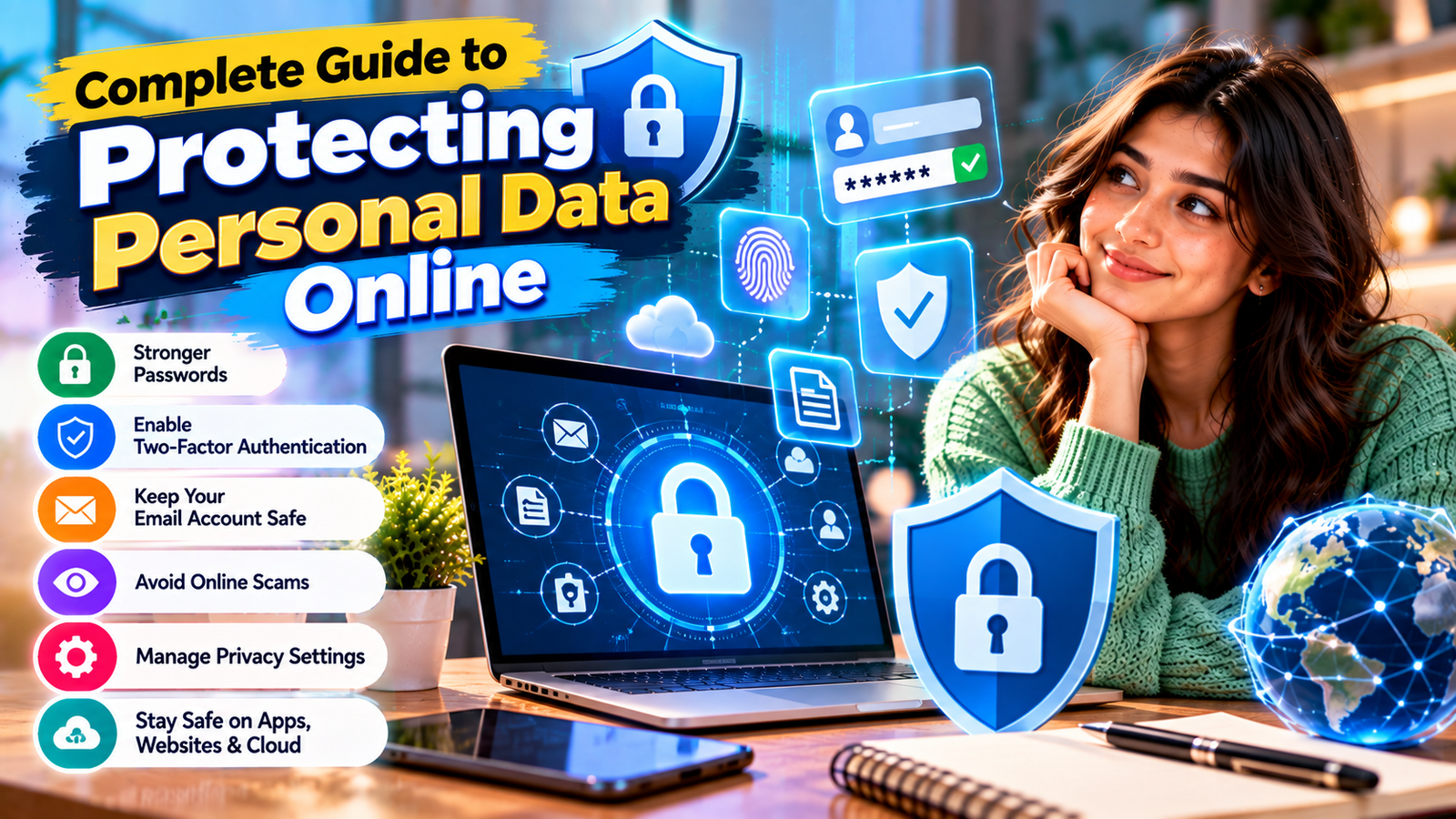
6. Learn to Recognize Phishing
Knowing how to recognize phishing is another important way to Protect Personal Data Online. Phishing messages are designed to trick users into revealing passwords, payment information, verification codes, or other sensitive information.
Attackers may pretend to represent:
- Your bank
- A delivery company
- A government organization
- A social network
- An online retailer
- Your employer
- A streaming service
- A friend or colleague
Common Phishing Warning Signs
- Unexpected requests for passwords
- Pressure to act immediately
- Threats to close an account
- Suspicious links
- Unexpected attachments
- Unusual payment requests
- Requests for verification codes
- Suspicious sender addresses
If you are unsure about a message, open the organization’s official website or app directly instead of clicking the supplied link.
7. Never Share Authentication Codes
One-time verification codes, recovery codes, and approval prompts should be treated like passwords.
If someone unexpectedly asks you to provide a code that arrived through SMS, email, or an authenticator application, do not provide it.
A criminal who already knows your password may need only that code to complete a login.
8. Keep Software and Devices Updated
Regular software updates help Protect Personal Data Online because updates often contain fixes for security weaknesses discovered after software was released.
Keep the following updated:
- Smartphone operating systems
- Computer operating systems
- Web browsers
- Mobile applications
- Security software
- Routers
- Internet-connected devices
Enable automatic security updates where doing so is practical.
9. Lock Your Phone and Computer
Online privacy also depends on physical security. Use a secure PIN, password, fingerprint, face recognition, or another suitable device-lock method.
Configure devices to lock automatically after a reasonable period of inactivity.
This is especially important because smartphones may provide access to email, banking applications, authentication apps, cloud storage, private photos, and social media accounts.
10. Review App Permissions
Controlling application permissions helps Protect Personal Data Online by preventing unnecessary access to information and device features.
Review access to:
- Location
- Microphone
- Camera
- Contacts
- Photos
- Files
- Bluetooth
- Background activity
If an app does not need a particular permission for the features you use, consider disabling that permission.
11. Limit Location Sharing
Location data can reveal where you live, work, shop, exercise, travel, and spend time.
Review which apps have access to your location and whether they genuinely require continuous access.
Depending on your device, available choices may include:
- Only while using the app
- Ask every time
- Approximate location
- No location access
Persistent location access should generally be enabled only when it provides a clear benefit.
12. Review Social Media Privacy Settings
Reviewing social media settings regularly is an effective way to Protect Personal Data Online because social profiles can reveal more information than users realize.
Check:
- Who can see your posts
- Who can see your followers or friends
- Who can search for you using your email
- Who can find you using your phone number
- Whether location information is attached to posts
- Which external apps are connected
- Whether your profile can appear in search engines
Review these settings periodically because platforms may change their privacy controls.
13. Avoid Oversharing Personal Information
Learning what not to publish is a simple way to Protect Personal Data Online. Information that appears harmless can sometimes help scammers create convincing impersonation attempts.
Be cautious about publicly posting:
- Your home address
- Personal phone numbers
- Detailed travel schedules
- Identification documents
- Boarding passes
- Financial documents
- Sensitive workplace information
- Information used in security questions
14. Secure Your Home Wi-Fi
A secure home network can help Protect Personal Data Online because phones, computers, smart TVs, cameras, and other connected devices often share the same router.
Useful steps include:
- Change the router’s default administrator password.
- Create a strong Wi-Fi password.
- Keep router firmware updated.
- Use modern wireless encryption supported by your equipment.
- Disable unnecessary remote administration.
15. Be Careful on Public Wi-Fi
Public Wi-Fi is convenient, but avoid automatically connecting to unfamiliar networks.
Confirm the official network name where possible, especially in hotels, airports, cafés, shopping centers, and public areas.
For particularly sensitive activity, a trusted mobile connection may be preferable to an unfamiliar wireless network.

16. Download Apps From Trusted Sources
Malicious applications may attempt to collect information, install unwanted software, display intrusive advertising, or gain unnecessary device permissions.
Before installing an app:
- Check the publisher.
- Use trusted application stores or official vendor websites.
- Review requested permissions.
- Avoid suspicious modified applications.
- Remove apps you no longer use.
17. Review Browser Privacy Settings
Your browser can contain significant personal information, so browser maintenance should be part of your plan to Protect Personal Data Online.
Review:
- Saved passwords
- Website permissions
- Location access
- Camera access
- Microphone permissions
- Notification permissions
- Cookie settings
- Autofill information
- Installed extensions
Remove browser extensions that are no longer required, especially when they have broad access to websites.
18. Understand Website and App Tracking
Understanding online tracking can help you Protect Personal Data Online by making you more aware of what websites and apps may collect.
Online services can collect information for purposes such as:
- Website functionality
- Analytics
- Personalization
- Advertising
- Fraud prevention
- Security
Review privacy notices when a service handles particularly sensitive information, and use available cookie or tracking controls when they match your preferences.
19. Protect Payment Information
Safe shopping practices can help Protect Personal Data Online and reduce the risk of payment information being entered into fraudulent websites.
Use reputable merchants and avoid entering payment details after following suspicious links from emails, advertisements, or text messages.
Regularly review bank and payment-card activity so unfamiliar transactions can be identified quickly.
20. Back Up Important Information
Regular backups help Protect Personal Data Online from permanent loss caused by device failure, theft, accidental deletion, or some types of malicious software.
Backup options include:
- Trusted cloud backup services
- External storage devices
- Built-in operating system backup tools
- A combination of local and cloud backups
Periodically confirm that important information can actually be restored from your backups.
21. Secure Cloud Storage Accounts
Strong cloud account security is necessary to Protect Personal Data Online because cloud platforms may contain private documents, photographs, backups, business files, and other sensitive information.
Periodically review:
- Logged-in devices
- Shared folders
- Public links
- Third-party access
- Account recovery methods
- Recent security activity
Remove old sharing links and account access that is no longer necessary.
22. Remove Unused Online Accounts
Deleting accounts you no longer need can help Protect Personal Data Online by reducing the number of services that continue storing information about you.
Before closing an account:
- Download information you want to keep.
- Remove payment information where appropriate.
- Disconnect external applications.
- Follow the provider’s official deletion process.
Old and forgotten accounts can become security risks because users may stop monitoring them.
23. Review Connected Applications
Signing into one website through another account can be convenient, but it also creates connections between services.
Review applications connected to important email, social media, cloud, and workplace accounts.
Remove third-party access for services that you no longer use or recognize.
24. Be Careful With AI Tools and Personal Information
As AI assistants become more common, careful data handling is increasingly important when trying to Protect Personal Data Online.
Avoid unnecessarily submitting:
- Passwords
- Identification documents
- Private customer records
- Confidential contracts
- Sensitive financial information
- Medical records
- Business secrets
Employees should follow company policies regarding approved AI platforms and confidential information.
25. Use Security Questions Carefully
Security questions can affect your ability to Protect Personal Data Online because answers based on public information may be easier for attackers to discover or guess.
If a service requires security questions, avoid answers based on details that are publicly visible on social media or elsewhere online.
Treat account recovery information as sensitive data.
26. Check Account Activity
Many online services provide security dashboards showing recent login activity, active sessions, or connected devices.
Review these pages periodically and especially after receiving an unexpected security alert.
If you notice unfamiliar activity:
- Sign out unfamiliar devices.
- Change compromised credentials.
- Review multifactor authentication settings.
- Check recovery information.
- Look for unauthorized account changes.
27. Know What to Do After a Data Breach
Responding quickly to a breach can help Protect Personal Data Online when login credentials or other sensitive information may have been exposed.
If a company reports that credentials were compromised:
- Change the affected password.
- Change it anywhere else it was reused.
- Enable multifactor authentication.
- Review recent account activity.
- Be alert for targeted phishing attempts.
28. Know What to Do If an Account Is Hacked
Fast action can help Protect Personal Data Online after unauthorized account access has occurred.
- Use the provider’s official account recovery process.
- Change compromised credentials.
- Sign out unknown sessions.
- Review recovery information.
- Remove suspicious connected apps.
- Check for unauthorized messages, purchases, or changes.
- Secure the email account connected to the service.
29. Protect Data Before Selling or Disposing of Devices
Phones, tablets, and computers can contain years of personal information.
Before selling, donating, recycling, or giving away a device:
- Back up information you want to keep.
- Sign out of important accounts.
- Remove the device from linked accounts where necessary.
- Follow the manufacturer’s secure erase or factory-reset process.
- Remove SIM cards and external storage when appropriate.
30. Build a Personal Security Routine
A regular security routine makes it easier to Protect Personal Data Online without turning privacy into a complicated daily project.
| Frequency | Recommended Action |
|---|---|
| Daily | Be cautious with unexpected messages, downloads, links, and login requests. |
| Weekly | Install important updates and review unusual security alerts. |
| Monthly | Check important account activity, devices, and app permissions. |
| Every Few Months | Review privacy settings, connected apps, shared files, and old accounts. |
| After an Alert | Investigate immediately and secure potentially affected accounts. |
Personal Data Protection Checklist
Use this checklist whenever you want to review how well you Protect Personal Data Online:
- Use unique passwords.
- Consider a reputable password manager.
- Enable multifactor authentication.
- Use passkeys where appropriate.
- Secure your primary email account.
- Keep software updated.
- Lock phones and computers.
- Review application permissions.
- Limit unnecessary location access.
- Review social media privacy settings.
- Avoid publishing sensitive information.
- Secure home Wi-Fi.
- Recognize phishing attempts.
- Maintain backups.
- Review connected apps and active devices.
Common Personal Data Protection Mistakes
Reusing Passwords
Password reuse can allow credentials exposed by one service to create risks for several other accounts.
Ignoring Software Updates
Delaying important updates may leave known security vulnerabilities unpatched.
Sharing Too Much Publicly
Public information can make phishing messages and impersonation attempts more convincing.
Clicking Unexpected Links
Suspicious links may direct users to fake login pages designed to steal credentials.
Ignoring Privacy Settings
Default privacy settings may not always match how much information you want to share.
Keeping Forgotten Accounts
Old accounts may continue storing personal information even when you no longer use or monitor them.
Expert Tips for Better Personal Data Protection
Use several layers of security when you Protect Personal Data Online. No single feature can eliminate every privacy or security risk.
- Secure email first: Email is often connected to account recovery.
- Use layered authentication: Combine unique credentials with MFA or passkeys where appropriate.
- Share less: Avoid providing personal details when they are not reasonably necessary.
- Verify independently: Visit official websites instead of trusting unexpected links.
- Keep software current: Install important security updates.
- Review access: Remove old devices, apps, and sharing permissions.
- Prepare for problems: Maintain reliable backups and current recovery options.
Frequently Asked Questions
What is the best way to Protect Personal Data Online?
The most effective approach is layered protection. Use unique passwords or passkeys, enable multifactor authentication, update devices, avoid phishing attempts, reduce unnecessary information sharing, and regularly review account privacy settings.
Is a strong password enough?
No. Strong passwords are useful, but multifactor authentication adds another layer of protection if a password is exposed.
Should I use the same password on multiple websites?
No. Unique passwords reduce the chance that a credential compromised on one website can be reused against another account.
How can I identify a phishing email?
Watch for unexpected requests, suspicious links, unusual sender addresses, urgent threats, payment demands, and requests for passwords or verification codes.
How often should I review my privacy settings?
Review important privacy settings periodically and after major platform changes. You should also inspect them immediately after suspicious activity or an unexpected security alert.
What should I do if my personal information is stolen?
Secure affected accounts immediately, change compromised credentials, enable stronger authentication, review account activity, and contact relevant service providers or financial institutions when necessary.
Conclusion
You do not need to become a cybersecurity specialist to Protect Personal Data Online. The most effective approach is to reduce unnecessary exposure while creating multiple layers of security around your accounts, devices, and personal information.
Start with the essentials: secure your email, use unique passwords or passkeys, enable multifactor authentication, keep software updated, recognize phishing messages, review permissions, protect your devices, and limit the information you publish publicly.
Technology and online threats will continue to change, but strong privacy habits remain valuable. Regular security reviews can help you maintain greater control over your information and respond quickly when something does not look right.