
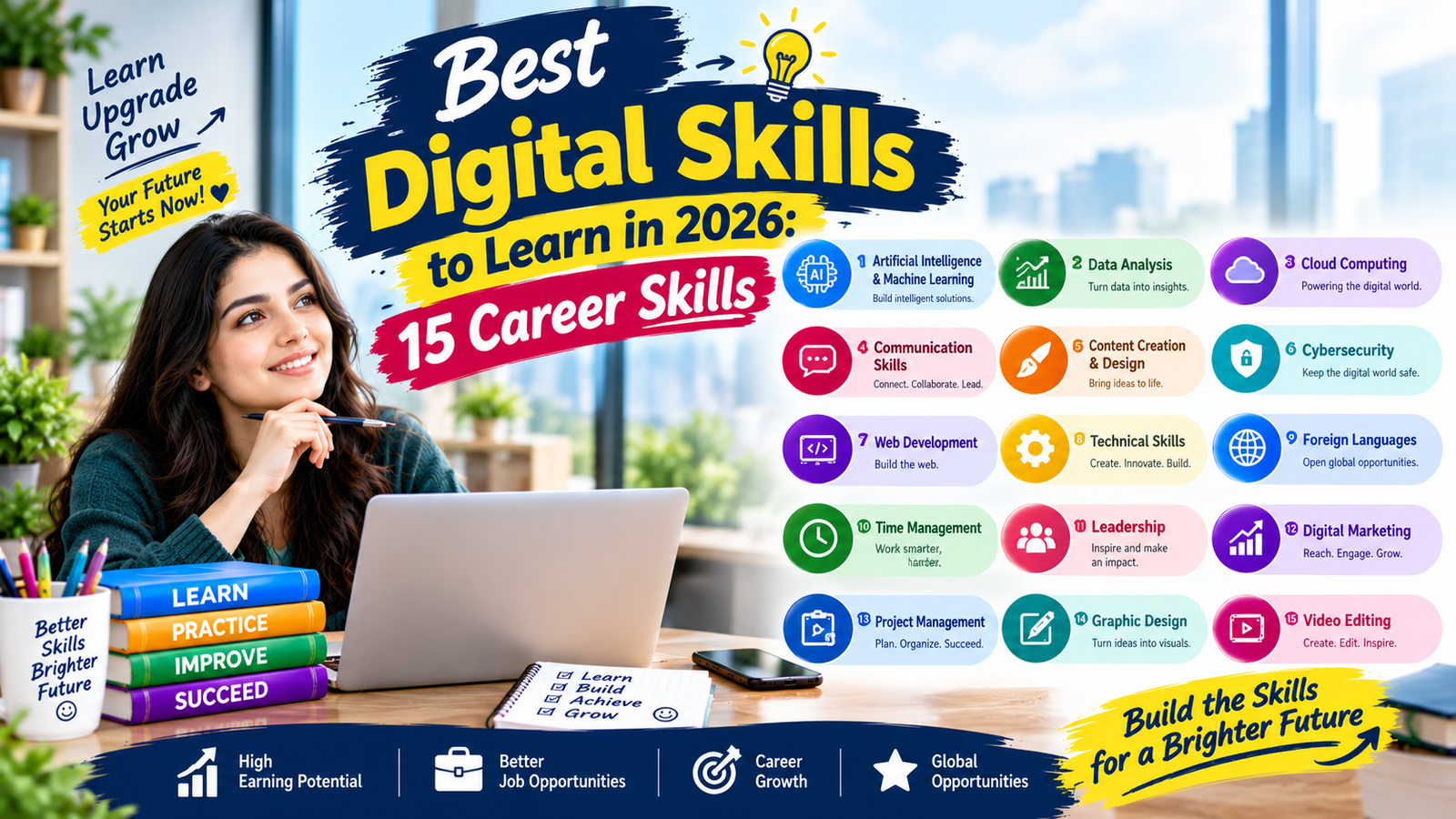
The workplace in 2026 rewards people who can use technology to solve practical problems, communicate clearly, analyze information, and work efficiently. Whether you are a student, job seeker, freelancer, employee, or small business owner, choosing the right Digital Skills to Learn can make it easier to adapt to changing job requirements and build useful career capabilities.
The goal is not to master every new app or programming language. A better approach is to develop a balanced skill set that combines technical knowledge with communication, problem-solving, data awareness, cybersecurity, and responsible use of artificial intelligence. This guide explains the most useful areas to consider, how they are applied at work, and how beginners can build them through practical projects.
Why Digital Skills Matter in 2026
Digital work now covers far more than traditional computer use. Employees may need to collaborate through cloud platforms, organize information in spreadsheets, communicate through digital channels, protect accounts, interpret dashboards, automate repetitive tasks, or use AI-assisted software responsibly.
This makes Digital Skills to Learn valuable across many industries. A marketing employee may need analytics and content tools, while an accountant may benefit from advanced spreadsheets and automation. A teacher may use learning platforms and presentation software, and a small business owner may need digital marketing, online payments, customer relationship tools, and cybersecurity awareness.
The strongest approach is to connect a skill with a real work outcome. Instead of learning software simply because it is popular, ask what problem it can help you solve. This keeps your learning practical and gives you evidence of ability that can later be included in a portfolio or discussed during an interview.
Key Digital Skills to Learn in 2026
There is no single list that fits every career. However, several skill categories have broad workplace value and can be adapted to different professional paths.
1. Artificial Intelligence Literacy
Artificial intelligence literacy is becoming one of the most useful Digital Skills to Learn because AI tools are increasingly integrated into writing, research, design, analysis, customer support, software development, and administrative work.
AI literacy does not necessarily mean becoming a machine learning engineer. For most professionals, it means understanding what generative AI can do, where it can make mistakes, how to write useful instructions, how to verify outputs, and how to protect confidential information.
Beginners can start by using an AI assistant for low-risk tasks such as brainstorming, summarizing their own notes, creating outlines, improving drafts, or generating practice questions. The important habit is to review the output rather than accepting it automatically.
2. Data Analysis
Data analysis is another important area among the Digital Skills to Learn for people working with sales, finance, marketing, operations, education, research, or management.
Start with spreadsheet skills such as formulas, sorting, filtering, conditional formatting, charts, pivot tables, and basic data cleaning. Once these concepts become comfortable, learners can explore tools such as SQL, Power BI, Tableau, or Python depending on their career goals.
The most useful data skill is not simply knowing how to create a chart. It is understanding what the information means and communicating the finding clearly. A professional who can turn a large spreadsheet into a simple business insight can provide more value than someone who knows complicated formulas but cannot explain the result.
3. Advanced Excel and Spreadsheet Skills
Advanced spreadsheet ability remains practical because spreadsheets are used in many organizations for budgeting, reporting, inventory, planning, scheduling, and analysis. It is one of the most accessible Digital Skills to Learn for beginners.
Beyond basic data entry, learn functions such as IF, SUMIFS, COUNTIFS, XLOOKUP, and text functions. Practice creating structured tables, dashboards, charts, and reusable templates. Understanding data validation and clean spreadsheet organization can also reduce errors. Learn more about Excel skills to strengthen your spreadsheet knowledge.
A useful project might involve creating a monthly sales dashboard from a sample dataset. Include totals, category comparisons, monthly trends, and a short written explanation of the major findings. This demonstrates practical ability rather than course completion alone.
4. Cybersecurity Awareness
Cybersecurity is not limited to security engineers. Basic security awareness belongs on almost every modern professional’s list of Digital Skills to Learn.
Employees should understand strong password practices, multifactor authentication, phishing, suspicious links, software updates, device security, access permissions, and safe handling of sensitive information. Organizations also expect employees to recognize common social engineering attempts. These practical Digital Skills to Learn can help professionals work more safely with digital systems and online accounts.
People who want a deeper technical path can explore networking fundamentals, security operations, identity management, vulnerability concepts, cloud security, and security certifications. Beginners should first build a strong understanding of safe everyday digital behavior before moving into more advanced Digital Skills to Learn.
5. Cloud Computing Fundamentals
Cloud platforms support many modern applications and business processes. Understanding basic cloud concepts can therefore be useful even if you do not plan to become a cloud engineer.
Learn what cloud computing means, how storage and computing resources work online, and the difference between common service models. You can then explore platforms such as Microsoft Azure, Amazon Web Services, or Google Cloud based on your career direction. These technologies are important areas to consider when choosing Digital Skills to Learn for a technology-focused career.
For beginners, Digital Skills to Learn in this area should focus on concepts before advanced administration. Understanding cloud storage, virtual machines, databases, identity, backups, and access control provides a foundation for more specialized study. These fundamentals can also make other Digital Skills to Learn easier to understand as your technical knowledge grows.
6. Digital Marketing
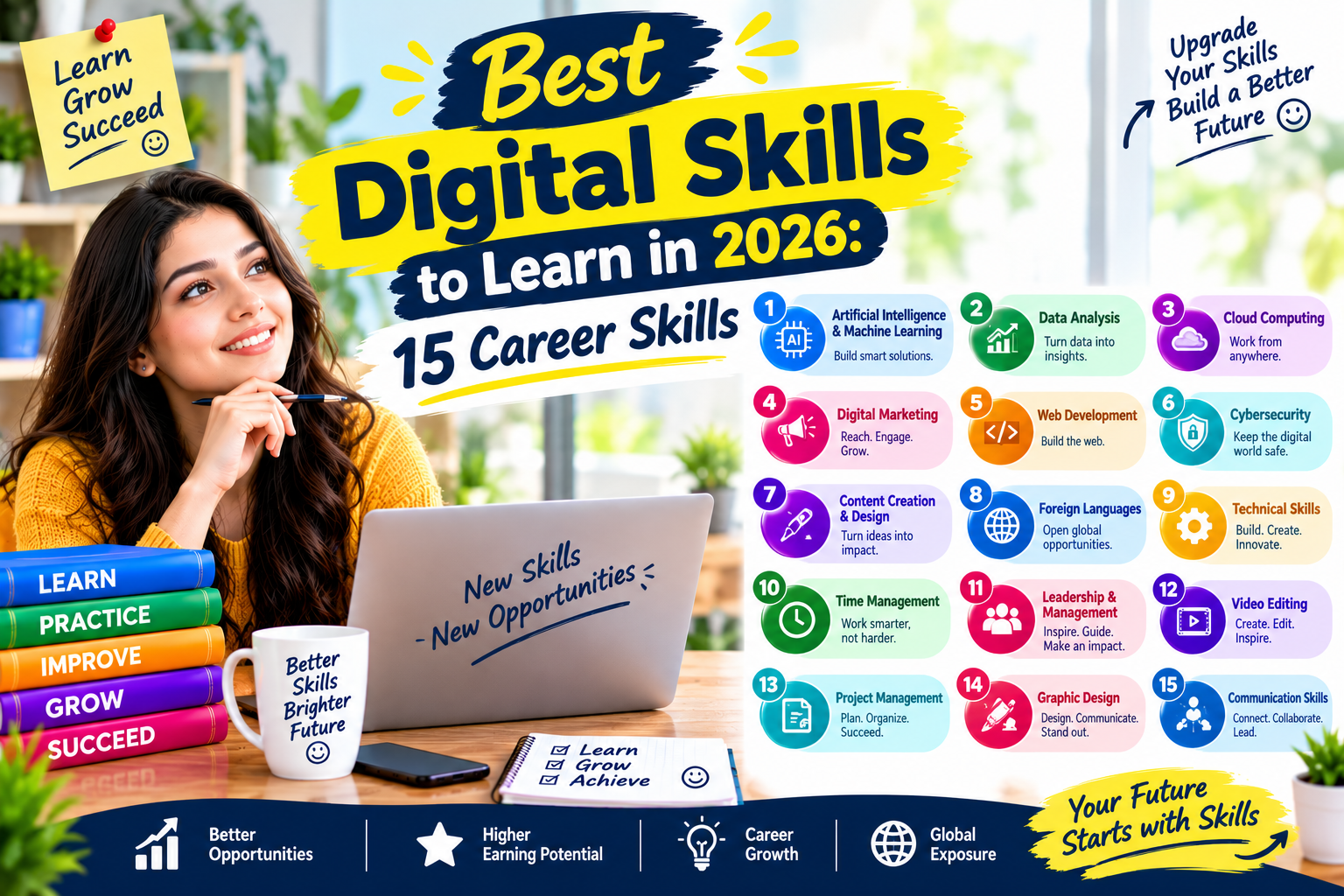
Digital marketing combines communication, technology, customer research, analytics, and creative work. It can be especially useful for freelancers, entrepreneurs, marketing professionals, and people interested in online business. For these career paths, Digital Skills to Learn can include both marketing knowledge and practical technology skills.
Important areas include search engine optimization, content marketing, email marketing, social media marketing, conversion optimization, analytics, and paid advertising. You do not need to master all of them immediately. Instead, select the Digital Skills to Learn that match your career goals and current level of experience.
Choose one area and build a small project. For example, create a simple content plan for a fictional business, research relevant search terms, prepare several pieces of content, and explain how you would measure traffic and engagement. This practical approach helps turn Digital Skills to Learn from theoretical knowledge into usable workplace abilities.
7. Search Engine Optimization
SEO remains a useful digital discipline because businesses need their websites and content to be discoverable. Learning SEO also teaches valuable skills in search intent, content structure, keyword research, technical website concepts, and user experience.
Aap is paragraph mein 2 words ka external link “search intent” par laga sakte hain:
A beginner should understand search intent, title optimization, headings, internal linking, descriptive image text, helpful content, page experience, and basic technical SEO. Tools can support the process, but understanding why a page satisfies a user’s question is more important than simply following an automated score.
SEO is also a good example of how Digital Skills to Learn can overlap. Strong SEO work may require writing, analytics, research, website management, communication, and basic HTML knowledge.
8. Content Creation and Digital Writing
Clear writing is valuable across almost every digital workplace. Employees create emails, reports, proposals, social media posts, product descriptions, documentation, presentations, and customer messages.
Develop skills in research, outlining, editing, readability, fact checking, storytelling, and audience awareness. Learn how to adapt the same information for different formats without changing its meaning.
AI can support drafting and brainstorming, but human review remains important. Writers should verify factual claims, remove repetitive language, protect private information, and make sure the final content matches the intended audience.
9. Communication and Collaboration Tools
Remote and hybrid workplaces make digital collaboration increasingly important. Professionals may use video meetings, project management platforms, shared documents, team messaging, calendars, and cloud storage every day.
Learning these systems is not just about knowing which button to click. Good digital collaboration means organizing information clearly, writing useful updates, documenting decisions, respecting deadlines, and choosing the right communication channel.
Among the Digital Skills to Learn, collaboration skills are particularly transferable because they apply across departments and industries. A person who communicates clearly in a digital environment can reduce confusion and help teams move work forward.
10. Basic Programming and Automation
You do not have to become a professional software developer to benefit from programming knowledge. Basic coding can improve logical thinking and help professionals understand how digital systems work.
Python is a practical starting point for learners interested in automation, data analysis, scripting, or AI. JavaScript may be more relevant to people interested in websites and web applications. SQL is especially useful for working with databases.
No-code and low-code automation tools can also help non-programmers connect applications and reduce repetitive tasks. The key is to understand the process before automating it. Automating a poorly designed workflow can simply make mistakes happen faster.
11. UI and UX Fundamentals
User interface and user experience concepts are useful for designers, developers, marketers, product teams, and entrepreneurs. You do not need to become a professional designer to understand how users interact with digital products.
Learn basic principles such as visual hierarchy, consistency, accessibility, navigation, readability, feedback, and responsive design. Practice reviewing websites and mobile apps from a user’s perspective.
A simple portfolio project could involve redesigning a fictional website homepage. Explain the user problem, show the original concept, present your improved layout, and describe the design decisions you made.
12. Video Editing and Visual Content
Short-form video, tutorials, product demonstrations, training material, and social media content have created practical opportunities for people who understand basic video production.
Is mein 2 words ka external link “video editing” par laga sakte hain:
Beginners can learn trimming, transitions, captions, audio cleanup, framing, simple graphics, and export settings. Tools vary, but the underlying principles of video editing remain similar.
Visual communication is another useful category of Digital Skills to Learn because businesses often need employees who can turn information into presentations, videos, diagrams, social posts, and educational material.
13. Digital Project Management
Cybersecurity is not limited to security engineers. Basic security awareness belongs on almost every modern professional’s list of Digital Skills to Learn.
Employees should understand strong password practices, multifactor authentication, phishing, suspicious links, software updates, device security, access permissions, and safe handling of sensitive information. Organizations also expect employees to recognize common social engineering attempts. These practical Digital Skills to Learn can help professionals work more safely with digital systems and online accounts.
People who want a deeper technical path can explore networking fundamentals, security operations, identity management, vulnerability concepts, cloud security, and security certifications. Beginners should first build a strong understanding of safe everyday digital behavior before moving into more advanced Digital Skills to Learn.
5. Cloud Computing Fundamentals
Cloud platforms support many modern applications and business processes. Understanding basic cloud concepts can therefore be useful even if you do not plan to become a cloud engineer.
Learn what cloud computing means, how storage and computing resources work online, and the difference between common service models. You can then explore platforms such as Microsoft Azure, Amazon Web Services, or Google Cloud based on your career direction. These technologies are important areas to consider when choosing Digital Skills to Learn for a technology-focused career.
For beginners, Digital Skills to Learn in this area should focus on concepts before advanced administration. Understanding cloud storage, virtual machines, databases, identity, backups, and access control provides a foundation for more specialized study. These fundamentals can also make other Digital Skills to Learn easier to understand as your technical knowledge grows.
6. Digital Marketing
Digital marketing combines communication, technology, customer research, analytics, and creative work. It can be especially useful for freelancers, entrepreneurs, marketing professionals, and people interested in online business. For these career paths, Digital Skills to Learn can include both marketing knowledge and practical technology skills.
Important areas include search engine optimization, content marketing, email marketing, social media marketing, conversion optimization, analytics, and paid advertising. You do not need to master all of them immediately. Instead, select the Digital Skills to Learn that match your career goals and current level of experience.
Choose one area and build a small project. For example, create a simple content plan for a fictional business, research relevant search terms, prepare several pieces of content, and explain how you would measure traffic and engagement. This practical approach helps turn Digital Skills to Learn from theoretical knowledge into usable workplace abilities.

Build Skills Through Projects, Not Courses Alone
Courses can provide structure, but projects create evidence that you can apply what you learned. This is one of the most important principles when planning Digital Skills to Learn.
After completing a lesson, create something related to the topic. If you learn Excel, build a dashboard. If you study SEO, optimize a sample website structure. If you learn Python, automate a simple repetitive task. If you study cybersecurity, document a safe home lab exercise. Explore earning skills for more practical ideas.
A project does not have to be complicated. It should simply demonstrate a clear problem, your approach, the tools you used, and the result. Keep screenshots, notes, files, and explanations organized so they can become part of a portfolio.
A Practical 90-Day Learning Plan
A structured plan can make Digital Skills to Learn easier to manage. Instead of trying to study everything simultaneously, divide your time into stages.
Days 1–30: Build the Foundation
Choose one core skill. Spend the first month learning basic concepts and completing small exercises. Avoid jumping between unrelated topics.
- Learn the essential terminology.
- Follow a structured beginner course or official documentation.
- Practice several times each week.
- Write down questions and mistakes.
- Complete one small practical exercise.
Days 31–60: Apply the Skill
During the second month, move from tutorials to projects. Reduce passive watching and increase hands-on work.
- Build a realistic project.
- Use authentic or openly available sample data where appropriate.
- Document your process.
- Review errors and improve the result.
- Ask for feedback from a teacher, colleague, mentor, or relevant professional community.
Days 61–90: Create Portfolio Evidence
In the final month, refine your project and create a simple explanation of what you accomplished. Your portfolio should make it easy for another person to understand your contribution.
Include the problem, tools, process, result, and lessons learned. Where possible, show the actual work rather than simply listing a skill on your resume.
Common Mistakes When Learning Digital Skills
One common mistake is trying to learn too many technologies at once. A long list of unfinished courses rarely creates the same practical value as a smaller set of completed projects.
Another mistake is focusing entirely on certificates. Certificates can document learning, but employers and clients may also want evidence that you can apply the knowledge through digital skills.
Ignoring fundamentals is another problem. Learning advanced AI prompts without understanding data privacy, or learning advanced analytics without understanding basic spreadsheets, can create gaps that become difficult later.
Finally, avoid treating AI output as automatically correct. Verification, human judgment, source checking, and context remain important even when technology makes work faster.
How These Skills Work Together
The real advantage often comes from combining related capabilities. For example, a professional might combine data analysis, AI literacy, presentation skills, and domain knowledge to create useful business reports.
A content professional could combine SEO, analytics, AI-assisted research, writing, and visual communication. A small business owner could combine digital marketing, spreadsheets, customer relationship management, cybersecurity awareness, and automation.
This combination approach makes Digital Skills to Learn more valuable because modern jobs rarely depend on one isolated capability. Employers often need people who can connect tools with business goals.
How to Keep Your Digital Skills Current
Technology changes quickly, so learning should become an ongoing habit. You do not need to chase every new platform. Instead, follow developments that directly affect your role.
Review official documentation when software changes, follow reputable industry publications, complete occasional practical projects, and revisit important fundamentals. When a new tool appears, first ask whether it solves a problem you actually have.
Keep a personal learning record with projects, technologies, completed courses, useful references, and areas that need improvement. This makes it easier to update your resume and identify the next skill worth learning.
Career Areas That Can Benefit From Digital Skills
Almost every modern career can involve technology, but the exact combination varies.
- Office administration: spreadsheets, communication tools, document management, and automation.
- Marketing: SEO, analytics, content creation, advertising platforms, and AI literacy.
- Finance: Excel, data analysis, financial software, automation, and cybersecurity awareness.
- Education: learning platforms, presentations, digital research, content creation, and collaboration tools.
- IT: networking, cloud computing, cybersecurity, programming, and technical support.
- Design: UI/UX, visual communication, image tools, prototyping, and digital content.
- Entrepreneurship: digital marketing, e-commerce, analytics, customer tools, automation, and online security.
Frequently Asked Questions
What are the most useful Digital Skills to Learn in 2026?
Useful areas include AI literacy, data analysis, advanced spreadsheets, cybersecurity awareness, cloud fundamentals, digital marketing, SEO, programming, automation, digital communication, and project management. The right combination depends on your career goal.
Can beginners learn Digital Skills to Learn without a technical degree?
Yes. Many workplace skills can be learned without a computer science degree. Beginners can start with practical tools such as spreadsheets, collaboration platforms, digital marketing software, AI assistants, and basic analytics before moving into more technical subjects.
How long does it take to learn digital skills?
The timeline depends on the skill and your starting point. Basic workplace proficiency can develop through consistent practice over several weeks or months, while advanced technical abilities usually require longer study and repeated project work.
Should I learn AI before other digital skills?
AI literacy is useful, but it does not have to replace foundational skills. Learning spreadsheets, research, communication, data concepts, privacy, and problem solving can make AI tools more useful because you will better understand how to evaluate and apply their output.
Are certificates necessary for digital careers?
Certificates can help document structured learning, particularly in fields where recognized certifications are common. However, practical projects, relevant experience, demonstrable skills, and the ability to explain your work can also be important.
How can I prove my digital skills to employers?
Create a portfolio containing practical projects that match the job you want. Explain the problem, tools, process, decisions, and result. You can also demonstrate skills through internships, freelance work, volunteer projects, coursework, or relevant workplace achievements.
Conclusion
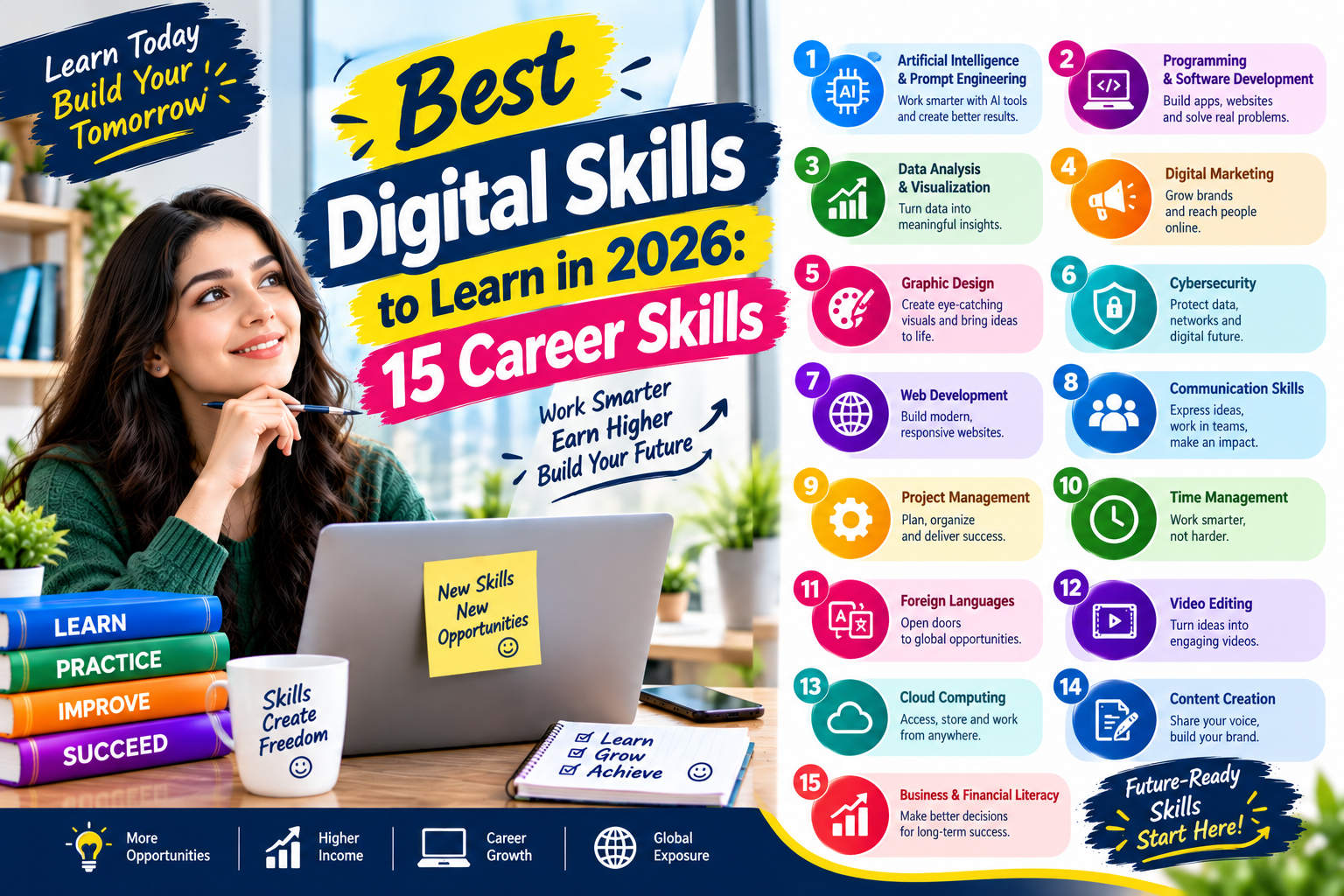
The most useful Digital Skills to Learn in 2026 are not simply the newest technologies. They are capabilities that help people work more effectively, make better use of information, communicate clearly, protect digital resources, and adapt to changing tools.
Start with the requirements of the career you want rather than trying to learn everything. Choose one core skill, practice it consistently, build a realistic project, and add complementary abilities over time. Whether your path involves AI, data analysis, cybersecurity, digital marketing, cloud computing, programming, or office technology, practical application is what turns knowledge into a useful professional capability.
A focused learning plan can also make progress easier to measure. Instead of collecting unrelated courses, build a small portfolio that shows what you can actually do. By combining technical knowledge with communication, research, problem-solving, and responsible technology use, you can create a flexible skill set that remains useful as digital workplaces continue to evolve.