
Creating high-quality content takes more than simply writing words. Bloggers, marketers, social media managers, YouTubers, business owners, and freelancers often need ideas, articles, captions, images, videos, product descriptions, emails, and scripts on a regular basis. The right AI content creation tools can help speed up these tasks while leaving the important creative decisions in your hands.
Modern AI platforms can help with brainstorming, writing, editing, graphic design, video creation, research, and content repurposing. However, different tools are designed for different jobs. A tool that works well for blog writing may not be the best choice for creating social media graphics or short videos.
This guide explores the top AI tools for content creation, what each tool does best, who should use it, its strengths and limitations, and how to build a practical content workflow around AI.
Quick Overview of the Top AI Tools
| Tool | Best For | Main Strength | Free Option |
|---|---|---|---|
| ChatGPT | Writing and brainstorming | Flexible content assistance | Yes |
| Canva | Visual content | Design and AI writing | Yes |
| Jasper | Marketing content | Brand-focused workflows | Paid plans available |
| Grammarly | Editing and proofreading | Writing improvement | Yes |
| Copy.ai | Marketing workflows | Content and business workflows | Plans vary |
| Adobe Firefly | AI visuals | Creative image generation | Limited access may be available |
| Descript | Video and audio | Text-based editing | Free option available |
Why AI Content Creation Tools Matter
AI content creation tools are useful because they can reduce the time spent on repetitive parts of the creative process. Instead of starting every project from a blank page, a creator can use AI to generate ideas, organize information, create a first draft, or suggest improvements.
OpenAI describes a practical writing workflow as planning, drafting, revising, and packaging. It also recommends treating AI output as a draft that should be reviewed rather than as a final authority. :contentReference[oaicite:0]{index=0}
This approach is important because good content still requires human judgment. AI can help produce a draft quickly, but the creator should check facts, add original insights, improve examples, and make sure the final content matches the intended audience.
1. ChatGPT — Best All-Around AI Writing Tool
ChatGPT is one of the most flexible choices for AI content creation. It can help users brainstorm topics, create outlines, draft articles, rewrite paragraphs, summarize information, develop social media ideas, write email drafts, and improve the clarity of existing content.
Its biggest advantage is flexibility. You can give it a simple idea and gradually refine the result with additional instructions. For example, a blogger can ask for an article outline, request a more detailed section, improve the introduction, and then create social posts from the same article.
Best For
- Bloggers and website owners
- Freelance writers
- Students and researchers
- Marketing teams
- Social media creators
Key Benefits
- Brainstorming and idea generation
- Long-form and short-form writing assistance
- Rewriting and editing
- Content repurposing
- Audience and tone adaptation
OpenAI’s current writing guidance highlights drafting, rewriting, tightening, tone adjustment, brainstorming, editorial feedback, and word selection as useful writing applications. :contentReference[oaicite:1]{index=1}
Limitation
AI-generated information should be checked before publication, especially when content includes statistics, dates, quotations, technical claims, or current information. A useful workflow is to use ChatGPT for the first draft and human review for accuracy and final quality.
2. Canva — Best for Visual Content
Canva is particularly useful when AI content creation involves both text and visual design. Its AI features can help creators generate copy, brainstorm ideas, create captions, rewrite text, summarize content, develop scripts, and produce visual assets.
Canva’s Magic Write can generate blog outlines, captions, product descriptions, headlines, paragraphs, lists, and other forms of copy. Canva also provides AI-assisted visual features for creators working on images and videos. :contentReference[oaicite:2]{index=2}
Best For
- Social media managers
- Small businesses
- Content marketers
- Bloggers creating graphics
- Creators making presentations
Why It Stands Out
Canva reduces the need to move between separate writing and design applications. You can create text, refine it, place it into a design, and prepare visual content within the same broader platform.
Its AI writing features also support rewriting and polishing. Canva recommends reviewing and editing generated text before finalizing it, which is an important habit for responsible AI-assisted publishing. :contentReference[oaicite:3]{index=3}
3. Jasper — Useful for Marketing Teams
Jasper is designed around marketing and business content workflows. It can be useful for teams that need consistent messaging across blog content, advertising, campaigns, social media, and other marketing channels.
For AI content creation, a marketing-focused platform can be helpful when the main challenge is not simply producing words but maintaining a consistent brand voice and campaign direction.
Best For
- Marketing departments
- Content agencies
- Brand teams
- Businesses producing frequent marketing copy
Strengths
- Marketing-focused workflows
- Brand-oriented content processes
- Useful for campaign content
- Supports repeated content tasks
Limitation
Jasper is more focused on professional marketing workflows than casual everyday writing. Smaller creators should compare its features and current plans with their actual content needs before subscribing.
4. Grammarly — Best for Editing and Clarity
Generating a draft is only one part of AI content creation. Editing is equally important. Grammarly can help writers identify grammar, spelling, clarity, tone, and style issues and can also assist with rewriting.
This makes it useful for writers who already have ideas or drafts but want to make them cleaner and easier to read.
Best For
- Blog writers
- Students
- Business professionals
- Email writers
- Freelancers
Why Use It?
A strong workflow often separates generation from editing. Instead of publishing the first AI-generated draft, creators can review sentence structure, remove repetition, improve clarity, and make the final piece sound more natural.
5. Copy.ai — Best for Marketing Workflows
Copy.ai focuses heavily on business and marketing use cases. It can be useful for teams that create multiple types of marketing material and want to streamline repeated workflows.
For example, a marketing team may need a product description, promotional email, social media caption, advertisement concept, and landing-page copy for one campaign. A workflow-oriented AI platform can help organize these related tasks.
Best For
- Marketing teams
- Sales teams
- Small businesses
- Content agencies
Main Advantage
The major value comes from workflow automation rather than simply generating one paragraph. Businesses should still review generated content for accuracy, brand consistency, and compliance before publication.
6. Adobe Firefly — Useful for AI Visual Creation
Not all AI content creation is text-based. Modern content strategies often require original-looking graphics, visual concepts, campaign assets, and other creative material. Adobe Firefly is designed for generative creative work within the Adobe ecosystem.
Best For
- Graphic designers
- Marketing teams
- Creative professionals
- Social media creators
Visual AI can help creators explore concepts quickly, but generated images should still be reviewed carefully. Pay attention to unusual details, text inside images, brand requirements, and the licensing terms that apply to your specific use case.
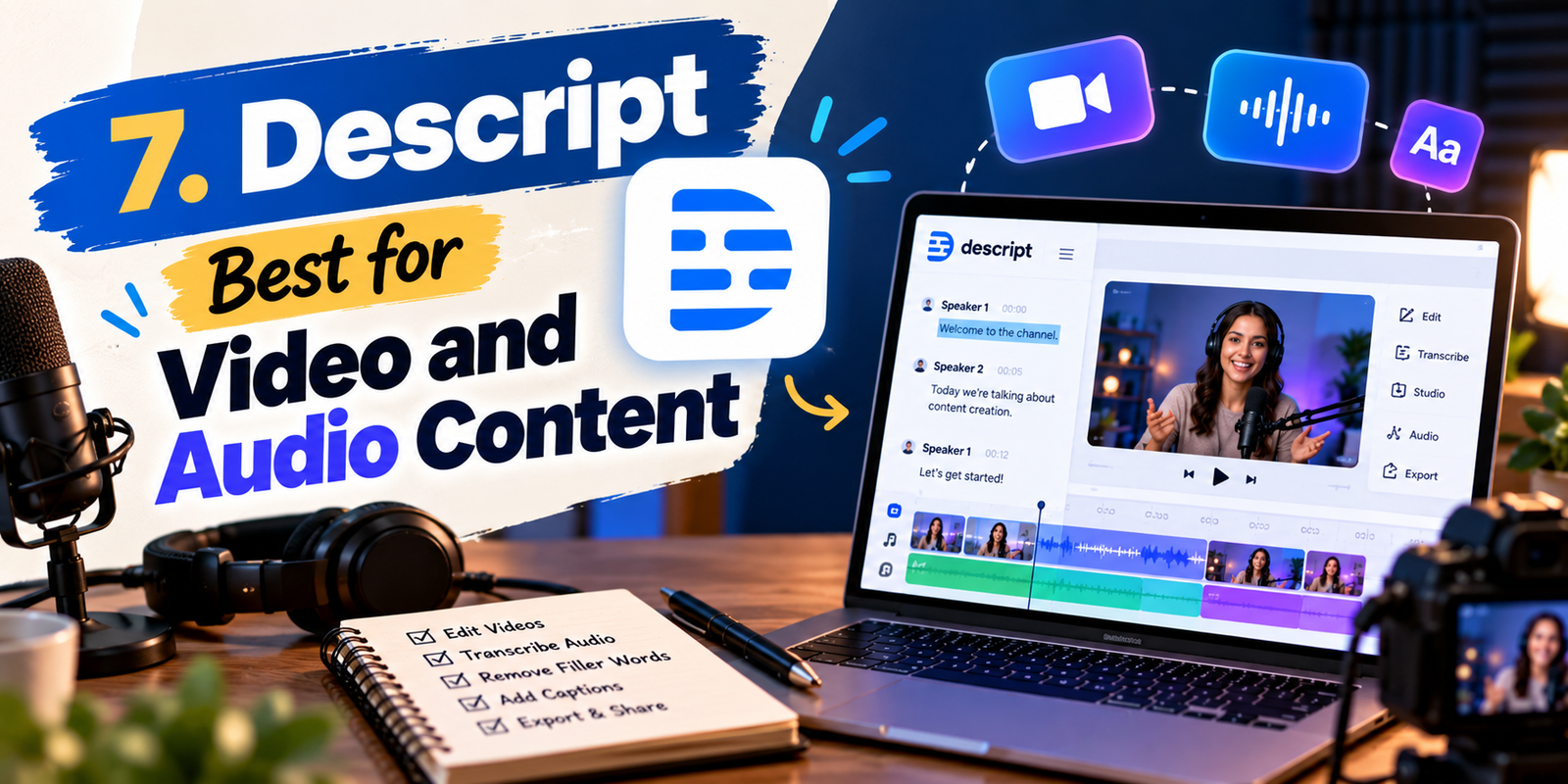
7. Descript — Best for Video and Audio Content
Video creators face a different challenge from bloggers. They need scripts, recordings, editing, captions, clips, and sometimes audio cleanup. Descript takes a text-based approach to editing that can make video and podcast workflows easier to manage.
This is particularly helpful for creators who want to transform one recording into multiple pieces of content. A long interview, for example, can become a full video, short clips, quotes, social posts, and written summaries.
Best For
- YouTubers
- Podcast creators
- Course creators
- Marketing teams
- Video editors
How to Choose the Right AI Content Tool
Choosing between AI content creation platforms becomes easier when you first identify the task you need to solve. Do not choose a tool simply because it is popular. Choose based on your workflow, content type, budget, and required features.

For Blog Writing
Look for strong brainstorming, outlining, drafting, editing, and research-support features. A general-purpose writing assistant can often be enough for individual bloggers.
For Social Media
Prioritize tools that combine captions, content ideas, images, templates, resizing, and scheduling-related workflows. Canva is especially useful when text and graphics need to be created together.
For Video
Choose platforms that help with scripts, transcripts, editing, captions, clips, and audio. A tool designed around video production will usually be more useful than a simple text generator.
For Marketing Teams
Look for brand consistency, collaboration, reusable workflows, content management, and the ability to adapt one idea into several formats.
AI Content Creation Workflow That Actually Works
A good AI content creation workflow does not mean asking an AI tool to produce everything from beginning to end. A better process combines AI speed with human creativity and review.
- Define the goal: Decide what you are creating and who will consume it.
- Research the topic: Collect reliable facts, examples, references, and important points.
- Generate ideas: Use AI to brainstorm angles, headlines, questions, and content formats.
- Create an outline: Organize the main ideas before writing the full piece.
- Draft: Use AI to create a starting point while providing clear instructions.
- Add human insight: Include your experience, examples, opinions, original research, or useful context.
- Edit: Improve accuracy, readability, structure, tone, and originality.
- Fact-check: Verify important claims and current information.
- Create visuals: Add relevant images, graphics, charts, or videos.
- Publish and measure: Track how readers respond and improve future content.
This approach keeps the creator involved instead of treating AI as an automatic publishing machine. OpenAI similarly recommends giving AI clear context and constraints and treating its output as something to review and refine. :contentReference[oaicite:4]{index=4}
Benefits of AI Tools for Content Creators
1. Faster Brainstorming
Creative blocks can delay a project before writing even begins. AI can provide topic ideas, angles, headlines, questions, and outlines that give the creator a starting point.
2. Easier Repurposing
One piece of content can often be adapted into several formats. A blog post can become an email, social media caption, video script, carousel, or short-form post.
3. Better Editing
AI assistants can identify unclear wording, repetitive sentences, grammatical problems, and opportunities to make writing easier to understand.
4. More Consistent Production
Creators who publish frequently can use AI to speed up repetitive tasks while maintaining a structured workflow.
5. Support for Small Teams
A small business may not have separate writers, designers, video editors, and marketing specialists. AI tools can help one person handle more stages of the content process, although human review remains important.
Limitations You Should Know
Even the best AI content creation tools have limitations. AI-generated content can contain incorrect information, weak reasoning, repetitive wording, or details that sound convincing but are not supported by reliable evidence.
Another concern is originality. If a creator publishes generic AI output without adding useful expertise or a distinct perspective, the result may feel interchangeable with thousands of other pages.
There are also privacy considerations. Avoid placing confidential business information, private customer data, passwords, or sensitive documents into an AI service unless you understand its data handling and privacy controls.
Creators should also review the terms associated with generated text, images, audio, and video, particularly when producing commercial material.
Common Mistakes to Avoid
- Publishing the first draft: Always edit and fact-check before publishing.
- Using AI without a clear audience: Define who the content is for.
- Ignoring brand voice: Add your own style and messaging.
- Overusing AI: Human creativity should remain part of the process.
- Skipping research: AI does not replace reliable source checking.
- Creating generic content: Add examples, experience, original insights, and useful details.
- Using too many tools: A small, well-connected toolkit is often easier to manage.
How to Get Better Results from AI
The quality of an AI response depends heavily on the quality of the instructions. Instead of saying, “Write a blog post,” provide useful context.
A stronger prompt might explain the target audience, purpose, tone, format, key points, word range, and information that must be included. You can also ask the AI to identify missing information instead of allowing it to guess.
For example, a content creator could request: “Create a beginner-friendly outline for a 1,500-word article about email marketing. Use simple US English, include practical examples, and organize the article around the questions beginners commonly ask.”AI content creationAI content creationAI content creationAI content creation
After receiving the output, give targeted feedback. Asking for a specific improvement such as “make this section shorter and clearer” is generally more useful than repeatedly asking the tool to “make it better.”
Should You Use More Than One AI Tool?
Yes, but only when each tool solves a different problem. Using five tools that all perform the same writing task may create unnecessary work.
A practical setup might include one general writing assistant, one design platform, one editing tool, and one video or audio platform if multimedia content is part of the strategy.
The goal of AI content creation should be a smoother workflow, not a larger collection of subscriptions.
Free vs Paid AI Content Tools
Free plans can be enough for beginners who create content occasionally. They allow users to learn how AI fits into their workflow before committing to a subscription.
Paid plans can become useful when you need higher usage limits, additional features, team collaboration, advanced creative capabilities, or business-oriented workflows. Because pricing and plan features can change, check the official provider’s pricing page before purchasing.
Canva, for example, offers free access to Magic Write with a limited number of free queries and provides additional access through Canva Pro. :contentReference[oaicite:5]{index=5}
What Type of Creator Benefits Most?
AI content creation is especially useful for people who regularly produce multiple content formats.
- Bloggers: Use AI for brainstorming, outlines, drafts, and editing.AI content creationAI content creation
- Social media managers: Create captions, content ideas, graphics, and campaign variations.
- YouTubers: Develop scripts, titles, descriptions, clips, and supporting content.
- Small businesses: Create product descriptions, emails, advertisements, and social posts.
- Freelancers: Speed up repetitive client work while maintaining human quality control.
- Students: Use AI for brainstorming, explanations, editing, and organization while following academic rules.
Frequently Asked Questions
What are the best AI tools for content creation?
The right tool depends on the content you make. ChatGPT is useful for general writing and brainstorming, Canva is strong for text and visual content, Grammarly supports editing, Jasper and Copy.ai focus on marketing workflows, Adobe Firefly supports visual creation, and Descript is useful for video and audio.
Can AI content creation tools write complete blog posts?
Yes, many AI tools can help create complete drafts. However, the final article should be reviewed, fact-checked, edited, and improved with original information before publication.
Are AI content tools free?
Many platforms offer free plans or limited free access, while advanced features are often available through paid plans. Features and pricing can change, so check the provider’s official website for current details.AI content creationAI content creationAI content creationAI content creation
Can AI replace human content writers?
AI can automate parts of writing and editing, but human judgment remains important for strategy, accuracy, originality, brand voice, expertise, and audience understanding. AI works best as an assistant rather than an automatic replacement for thoughtful content development.
How can I use AI without making my content sound robotic?
Use AI for research support, brainstorming, outlining, and first drafts, then add your own examples, experiences, insights, opinions, and preferred writing style. Edit the final version so it sounds natural and genuinely useful to your audience.
What is the biggest benefit of AI content creation?
The biggest practical benefit is efficiency. AI can reduce time spent on repetitive tasks such as brainstorming, drafting, rewriting, summarizing, and adapting content into different formats. The creator can then spend more time on strategy, originality, and quality.
Conclusion
The best AI content creation tool is not necessarily the platform with the largest feature list. It is the one that fits your actual workflow and helps you produce better content more efficiently.
For general writing and brainstorming, ChatGPT is a flexible choice. Canva is valuable when writing and design need to work together. Grammarly can strengthen editing, while Jasper and Copy.ai are useful for marketing-oriented workflows. Adobe Firefly can support visual creation, and Descript can help creators working with video and audio.
The most effective strategy is to use AI as a productivity partner rather than a replacement for human judgment. Start with one or two tools, build a repeatable workflow, verify important information, and add your own expertise to every piece you publish. That combination can make AI content creation faster while keeping the final result useful, authentic, and reader-focused.AI content creationAI content creationAI content creation
When used thoughtfully, AI can help creators move from idea to finished content with less friction. The technology handles many repetitive tasks, while the human creator remains responsible for the ideas, accuracy, quality, voice, and value that make content worth reading.